8 Best YouTube Channel Audit Tools in 2026 (Free & Paid)
The best YouTube channel audit tools in 2026 are YouTube Studio (best overall, the only source of first-party data), vidIQ (4.5/5 on G2 (33 reviews)) (best for SEO scoring), OutlierKit (5.0/5 on Product Hunt) (best for content gap analysis and competitor auditing), TubeBuddy (4.6/5 on Capterra (113 reviews)) (best for bulk video optimization), and UTubeKit (best free SEO platform: tags, hashtags, titles, keywords). All reviewed specifically for audit capability.
Each of the 8 tools is judged on audit capabilities rather than general analytics. Six are audit tools. The last two, TubePilot and LenosTube, are adjacent: one automates publishing, the other runs promotion campaigns. Creators often pair them with a post-audit fix-it plan, and we flag them as adjacent throughout. Before you score your own channel, benchmark it against our ranking of 112,562 channels across 20 niches, where the median channel has under 35K subscribers.
Want the audit process first? Read our 7-step audit guide →
Need a single score to summarize channel health? Try our 50-point audit scorecard. You rate Content Quality, Engagement, Growth, SEO, and Monetization from 1 to 10 each.
Competitor Benchmarking
Benchmark your channel against competitors with OutlierKit
Competitor analysis, content gap discovery, outlier detection, and keyword research. All in one platform.
| Tool | Best For | Price | Audit Strength |
|---|---|---|---|
| YouTube Studio | First-party data foundation | Free | Data accuracy |
| vidIQ | SEO scoring & keyword ranking | Boost $19/mo | SEO optimization |
| OutlierKit | Content gap & competitor audit | From $49/mo | Content strategy depth |
| TubeBuddy | Bulk video library audit | Confirm US price at checkout | Bulk processing |
| Social Blade | Free competitor tracking | Free | Historical trends |
| UTubeKit | Free SEO metadata optimization | Free | Tags, hashtags, titles, keywords |
| TubePilot | AI upload scheduling & automation | From $12/mo | Workflow automation |
| LenosTube | Video promotion & growth | From $10/campaign | Audience reach |
What problems do creators hit with channel audits?
We researched creator forums, Reddit threads, and review sites. We wanted to understand why existing channel audit approaches frustrate creators. These are the most common pain points driving demand for better tools.
Manual Audit Processes Take 4-6 Hours
Every channel audit means pulling data from YouTube Studio, Social Blade (free tool, widely referenced), and keyword tools into spreadsheets manually. Creators and consultants burn half a day per audit. That's before they can even start analyzing.
Reddit user in r/PartneredYoutube
No Standardized Audit Framework Exists
Every creator and agency does audits differently. Some “audits” are just Social Blade screenshots. Without a standardized scoring system, audit quality varies wildly. Results aren't comparable.
YouTube creator forum discussion
Tools Focus on One Metric, Not the Full Picture
VidIQ excels at SEO analysis and TubeBuddy at optimization. But neither gives a holistic view of channel health. Content quality, audience engagement, and growth trajectory are not scored together.
G2 review of VidIQ
No Historical Benchmarking Available
Most tools show where a channel is today. They don't show how metrics have trended over 6-12 months. Without historical context, audit findings are just snapshots. They miss growth or decline patterns.
Reddit user in r/PartneredYoutube
No Competitor Comparison in Audits
An audit might show your channel scores. You still need to compare against similar channels in your niche. Without that, you can't tell if the scores are good, average, or bad.
Creator discussion on r/NewTubers
How do audit tools solve these problems?
How do the 8 audit tools compare?
| Tool | Price | Free Tier | Audit Rating |
|---|---|---|---|
| YouTube Studio | Free | Yes · native | |
| vidIQ | Boost $19/mo | Free (limited) | |
| OutlierKit | From $49/mo | Free trial | |
| TubeBuddy | Confirm US price at checkout | Free (limited) | |
| Social Blade | Free | Yes · fully free | |
| UTubeKit | Free | Yes · 12+ AI tools | |
| TubePilot | From $12/mo | Free tier | |
| LenosTube | From $10/campaign | No |
Which audit capabilities does each tool cover?
Different tools excel at different parts of a channel audit. Use this matrix to find your tool. It shows which one covers the audit areas most important to you.
Audit Capability Matrix
Deeper colour = stronger capability. Each cell also shows the 1-5 score as text, so the matrix reads without relying on colour.
| Capability | OutlierKit | vidIQ | TubeBuddy | Social Blade | UTubeKit | YT Studio |
|---|---|---|---|---|---|---|
| Competitor Analysis | 5 | 3 | 3 | 3 | 1 | 1 |
| Content Gap Discovery | 5 | 2 | 1 | 1 | 1 | 1 |
| SEO Metadata Audit | 3 | 5 | 5 | 1 | 5 | 2 |
| Hashtag & Tag Tools | 2 | 3 | 4 | 1 | 5 | 1 |
| Keyword Research | 5 | 4 | 3 | 1 | 4 | 1 |
| Bulk Video Updates | 1 | 2 | 5 | 1 | 2 | 2 |
| Historical Tracking | 4 | 3 | 2 | 5 | 1 | 2 |
| Price | - | - | - | 5 | 5 | 5 |
Detailed Tool Reviews
YouTube Studio
Best OverallBest for First-Party Data: The Foundation of Every Audit
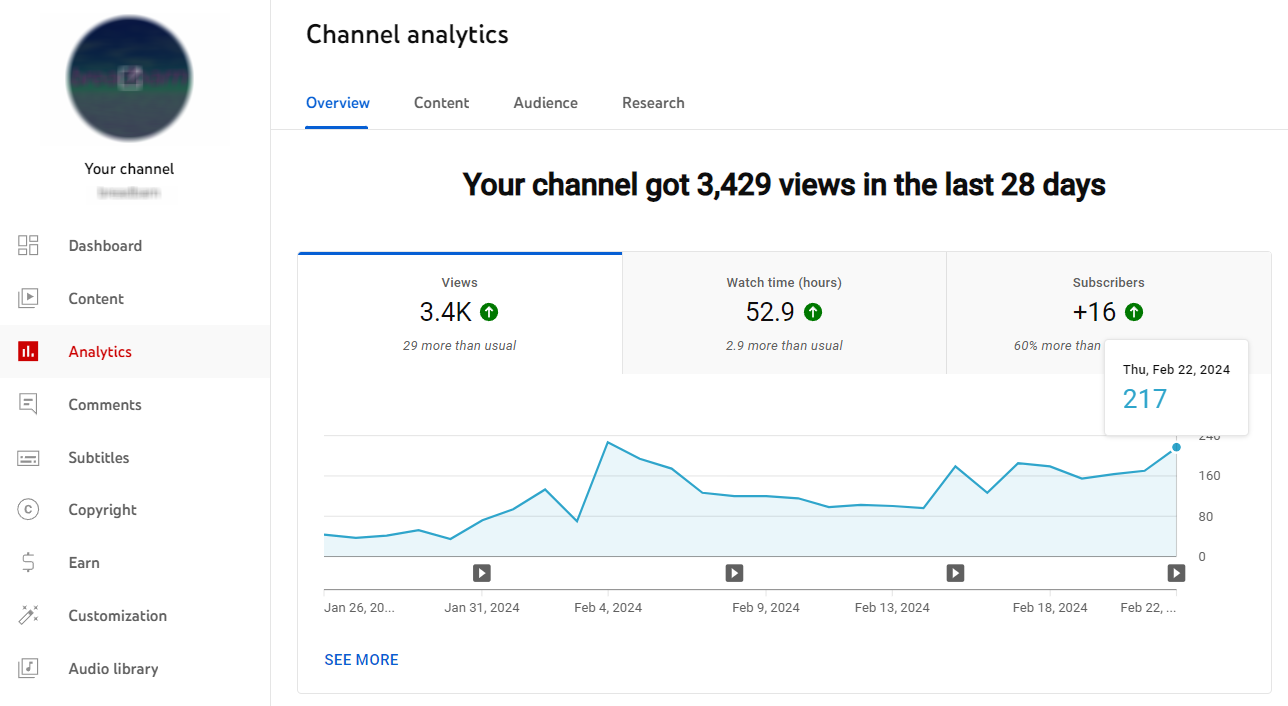
YouTube Studio ranks first because every channel audit starts here. It's the only source of truth for your channel's actual performance data. That includes data no third-party tool can access. Think retention curves, exact traffic sources, revenue breakdown, and precise demographic data. Every other tool in this list supplements YouTube Studio. None of them replace it.
Audit-Specific Features
Analytics Dashboard
The Overview, Reach, Engagement, Audience, and Revenue tabs hold the primary data. You'll use it for Steps 2-6 of a full channel audit.
Video-Level Retention Curves
This is the most diagnostic data in YouTube. See exactly where viewers drop off in each video. Third-party tools cannot access this.
Traffic Source Breakdown
Shows precisely where views came from. That means Search, Suggested, Browse, External, and other sources. This is critical for growth trajectory analysis.
Audience Demographics
Age, gender, geography, and device data. Essential for confirming whether your content is reaching your target audience.
Revenue Analytics
RPM, CPM, and revenue by video, traffic source, and time period. Essential for monetized channel audits.
Pros
- Only source for first-party data: retention curves, exact traffic sources, precise revenue
- 100% free, always included with every YouTube channel
- Updated daily with accurate, platform-provided data (no estimates)
- Export feature allows you to pull data into spreadsheets for deeper analysis
Cons
- Cannot benchmark against other channels (you can only see your own data)
- No keyword research or content gap discovery
- No audit checklists, health scores, or optimization recommendations
- Interface requires manual work to synthesize insights, with no automated diagnosis
Free, included with every YouTube channel
First-party data gathering for all 7 steps of a channel audit. Always use YouTube Studio as your primary data source. Then add OutlierKit for competitor benchmarking.
vidIQ
Best for SEOBest for SEO Scoring & Optimization Checklists
vidIQ's Channel Audit feature gives your channel an explicit health score. It breaks down SEO gaps video by video. It's the most structured SEO audit tool in the market. Its browser extension provides real-time optimization guidance as you upload. Is your audit goal fixing metadata and improving search rankings? Then vidIQ is your tool.
Audit-Specific Features
Channel Health Score
Grades your channel on SEO, consistency, engagement, and monetization. Gives a single score you can track over time.
Video SEO Score
Every video gets an SEO score. vidIQ identifies missing elements: no description, weak tags, no end screens, unclaimed captions.
Keyword Rankings
Shows which keywords your channel ranks for. It suggests related terms you're not targeting. Essential for the SEO audit step.
Top & Underperforming Content
Surfaces your best and worst videos by engagement, CTR, and views. This is the same data you need. Use it for the content performance audit step.
Competitor Comparison
Basic side-by-side metrics against competitors. Less deep than OutlierKit's content gap analysis but sufficient for surface benchmarking.
Pros
- Channel Health Score makes audit progress immediately visible and trackable
- Browser extension provides real-time SEO guidance during upload
- Strong keyword research tool integrated into the audit workflow
- Large community with extensive YouTube tutorials on how to use audit features
- Free tier is functional enough for a basic SEO audit
Cons
- Free tier is heavily limited. Most audit features require a paid plan
- Competitor analysis is more surface-level than OutlierKit's content gap approach
- Can feel overwhelming for new creators with too many scores and metrics
Free (limited), Boost $19/month or $199/year
Creators focused on fixing SEO issues across existing videos. They also want better search discovery.
OutlierKit
Best for Competitor AuditsBest for Content Gap Analysis & Competitor Auditing
OutlierKit ranks third because it covers the competitor half of an audit, not your private analytics. It is built for experts, consultants and coaches who share what they know on YouTube, and it answers one question. Why are some of my competitor's videos getting 10x more views than mine? And how do I replicate that? Its outlier detection engine finds videos that dramatically outperform a channel's average. That is the single most actionable signal in a YouTube channel audit.
Audit-Specific Features
Competitor Channel Analysis
Enter any competitor's URL. Get their subscriber growth rate and average views per video. See upload frequency and engagement rate too, all in one report.
Content Gap Discovery
OutlierKit identifies high-performing topics in your niche that you haven't covered yet. This is the most powerful audit insight most tools don't provide.
Outlier Detection
See which of your competitor's videos are dramatically outperforming their averages. These are the content signals worth studying and adapting.
Keyword Research
Find what your target audience is actively searching for. Integrates directly into your content gap analysis for a complete audit picture.
Historical Growth Tracking
View subscriber and view trends over time for any channel. This gives you the trajectory data essential for a thorough audit.
Pros
- Only tool that surfaces content gaps (topics competitors win on that you're missing)
- Outlier score system identifies viral patterns systematically, not by guesswork
- Audits any public channel, yours or a competitor's. Essential for benchmarking
- Combines competitor analysis, keyword research, and outlier detection in one tool
- 30-credit free trial, no card, lets you run a competitor audit before committing
- After the audit, it writes titles, descriptions with hashtags, and chapters, and reviews your script before you record
- MCP connector on Pro and Max lets Claude run outlier, channel and keyword research for you
Cons
- No private analytics: retention, traffic sources and revenue stay in YouTube Studio
- No SEO score or bulk video optimization feature (unlike TubeBuddy)
- Focused on YouTube, not multi-platform (if you need Instagram/TikTok analytics)
Free trial, then from $49/month
Experts, consultants and coaches, and the agencies that run their channels, who want to audit content strategy. They benchmark against competitors instead of only checking metadata.
TubeBuddy
Best for Bulk AuditsBest for Bulk SEO Auditing Across Large Video Libraries
TubeBuddy's strength is bulk work. It can audit and optimize across your entire video library at once. That beats doing one video at a time. Say you have 100+ videos that need SEO updates. TubeBuddy's bulk processing tools can compress weeks of work into hours. Its SEO Studio walks you through optimization checklists step by step.
Audit-Specific Features
SEO Score (per video)
Grades every video's metadata quality. The score updates in real-time as you make changes. That gives immediate feedback on improvements.
Bulk Copy & Update Tools
Update cards, end screens, descriptions, and tags across hundreds of videos at once. That is impossible to do manually in YouTube Studio.
A/B Testing
Test two thumbnail or title variations. TubeBuddy then serves the winner based on CTR data. Unique feature not available in other audit tools.
Channelytics
A high-level channel performance report. It compares your metrics against channel averages and YouTube benchmarks.
Tag Explorer
Research which tags competitors are using. Find keyword opportunities your current videos are missing.
Pros
- Only tool with native A/B testing for titles and thumbnails. That's critical for CTR optimization
- Bulk update tools save enormous time for channels with large video libraries
- SEO Studio provides structured, step-by-step optimization guidance
- Browser extension integrates directly into YouTube Studio interface
Cons
- Free tier is very limited (most audit features locked behind Pro plan)
- Interface can feel cluttered with features you won't use during an audit
- Less powerful for competitor content gap analysis than OutlierKit
Free (limited); paid plans vary, so confirm the US price at checkout
Channels with 50+ videos that need bulk SEO optimization. Also creators who want to A/B test thumbnails and titles.
UTubeKit
Best Free SEO ToolBest Completely Free Platform for YouTube SEO Optimization
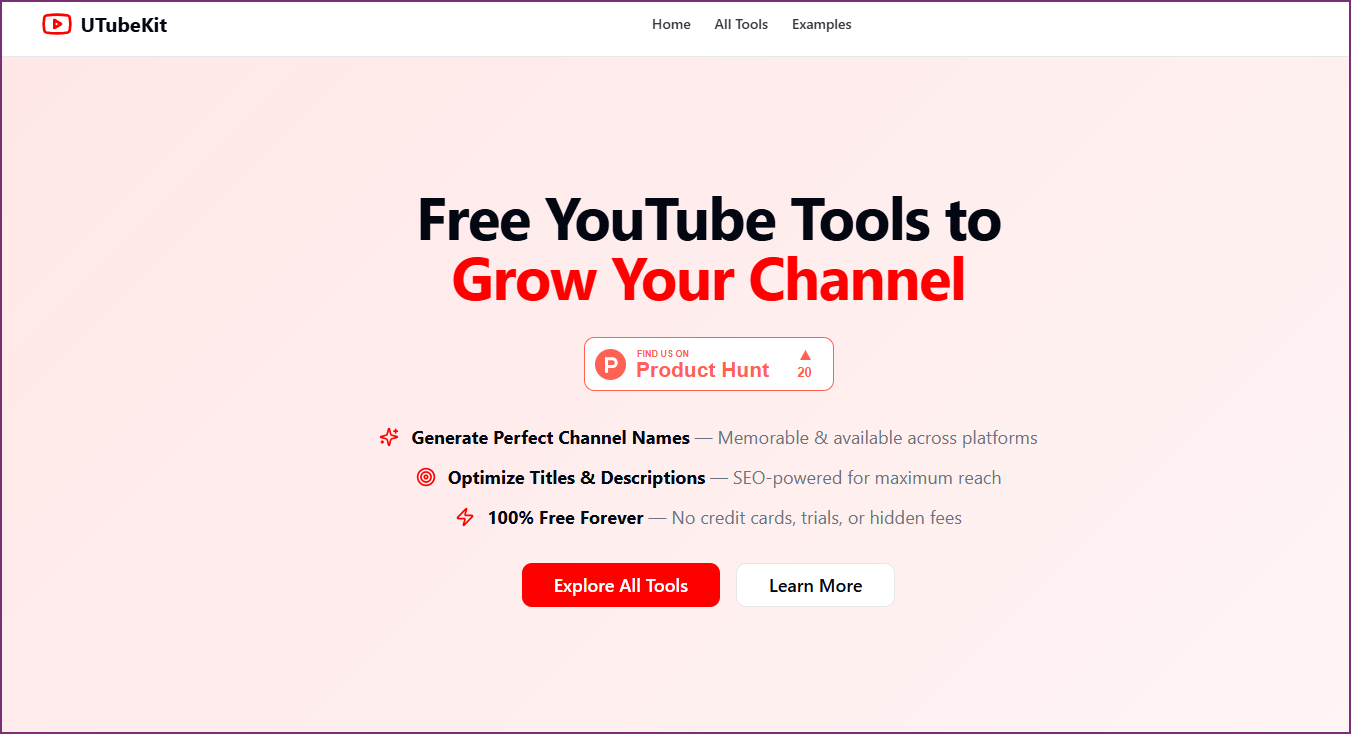
UTubeKit is a 100% free YouTube SEO platform with 12+ AI-powered tools. There is no paywall, no trial limits, and no credit card. It covers the entire SEO metadata optimization step of a channel audit. That includes title scoring and tag and hashtag generation. It also covers description writing, keyword research, and thumbnail text optimization. Disclosure: UTubeKit is built by the same founder as OutlierKit (Aditi). We rank it because it is the strongest free option for this one step, not as an OutlierKit replacement. OutlierKit remains our pick for competitor and content-gap auditing, which UTubeKit does not attempt.
Audit-Specific Features
Tag & Hashtag Generator
Creates 15+ strategic tags organized by competition tier (broad, medium, niche-specific). It also generates properly formatted hashtags optimized for discoverability. Essential for the SEO audit step.
Title Generator & Scorer
AI generates SEO-optimized titles with CTR optimization. The Title Scorer grades your existing titles across four dimensions. It does this before you publish. It is a pre-publish audit built in.
Description Generator
Produces 250+ word keyword-rich descriptions with structured formatting. It covers the description optimization item in your audit checklist. This takes under 60 seconds.
AI Keyword Generator
Discovers high-volume, low-competition keywords with search volume signals and long-tail suggestions. Use this for the keyword research section of your audit.
Thumbnail Text Optimizer
Generates attention-grabbing thumbnail copy variations. A/B test before design to maximize click-through rate on low-CTR videos.
Monetization Checker
Tracks progress toward YouTube Partner Program eligibility (1,000 subscribers + 4,000 watch hours). Use in the technical health section of your audit.
Pros
- Completely free: unlimited usage, no payment required, ever
- 12+ AI tools covering the full SEO metadata optimization audit step
- Tag/hashtag generator organizes by competition tier, more actionable than generic tag tools
- Title Scorer grades your titles before publishing. It acts as a pre-publish audit
- No account required for most tools, so there's zero friction to start
Cons
- No competitor channel analysis or content gap discovery (use OutlierKit for that)
- No historical trend tracking or growth trajectory analysis
- SEO optimization only. It doesn't cover content strategy, audience, or technical audit steps
- AI suggestions benefit from human review to match your specific niche tone
100% Free: unlimited usage, no subscription required
The SEO metadata step of your audit: titles, descriptions, tags, hashtags, and keyword research. All completely free with no limits.
TubePilot
Adjacent: AutomationBest for AI-Powered Upload Scheduling & Workflow Automation
TubePilot is a YouTube automation tool. It helps creators schedule, optimize, and automate their upload workflow. It uses AI to suggest optimal posting times based on audience activity. It also automates repetitive tasks like metadata templating and cross-platform publishing. One honest caveat: this is not an audit tool. It earns its slot as the workflow-automation step that follows an audit, when your fix-it plan needs consistent execution.
Audit-Specific Features
AI Scheduling Optimizer
Uses AI to analyze audience activity patterns. It then suggests the best times to publish. This maximizes reach and engagement.
Metadata Templates
Create reusable metadata templates for titles, descriptions, and tags. This keeps every upload consistent.
Cross-Platform Publish Automation
Automate publishing to multiple platforms simultaneously, saving time on manual cross-posting workflows.
Analytics Dashboard
Track upload performance, scheduling effectiveness, and workflow efficiency from a centralized dashboard.
Batch Upload Management
Upload and schedule multiple videos at once with pre-configured metadata. This reduces repetitive manual work.
Pros
- AI-driven optimal publish times help maximize video reach
- Batch upload saves hours for creators with high upload frequency
- Metadata templates ensure consistency across all videos
- Cross-platform posting eliminates manual republishing work
Cons
- Limited competitor analysis features
- No content gap or outlier detection capabilities
Free tier, then from $12/month
Creators who want to automate their publishing workflow and optimize upload timing.
LenosTube
Adjacent: PromotionBest for YouTube Video Promotion & Audience Growth
LenosTube is a promotion-focused platform. It helps creators grow their channels. It uses organic promotion services, watch-time campaigns, and audience targeting. Like TubePilot, it is not an audit tool. It is the promotion lever you pull after an audit tells you which videos deserve paid reach.
Audit-Specific Features
Organic Video Promotion
Promote videos to real audiences through targeted campaigns. These campaigns drive genuine views and engagement.
Watch-Time Campaign Management
Run campaigns focused on increasing watch time. It's a critical metric for YouTube algorithm ranking and monetization eligibility.
Audience Targeting
Target specific demographics and interest groups. This makes sure promotion reaches viewers most likely to engage with your content.
Growth Analytics Dashboard
Track promotion campaign performance and audience growth metrics. See ROI from a centralized analytics view.
Engagement Boost Tools
Tools designed to increase likes, comments, and shares through organic promotion strategies.
Pros
- Drives real views and watch time through organic promotion
- Useful for boosting new channel launches and underperforming videos
- Audience targeting by niche ensures relevant viewer reach
- Transparent analytics for tracking campaign effectiveness
Cons
- Not a traditional audit tool, more promotional in nature
- Requires budget for promotion campaigns
Pay-per-campaign (from $10)
Creators who want to supplement organic growth. They use targeted promotion during or after an audit.
Which tool should you choose?
Start with YouTube Studio for your own data, add vidIQ for SEO scoring, and add OutlierKit to benchmark against competitors. One row per tool, in ranking order.
| Tool | Best for | Choose it if | Starting price |
|---|---|---|---|
| YouTube Studio | First-party data: retention, traffic sources, revenue | you are auditing your own channel, which every audit starts with | Free |
| vidIQ | SEO scoring and optimization checklists | you want a score per video and a list of metadata fixes | Free; Boost $19/mo |
| OutlierKit | Competitor benchmarking and content gaps | you are an expert, consultant or coach and want to see which competitor videos beat their own baseline and which topics you are missing | $49/mo, 30-credit trial |
| TubeBuddy | Bulk fixes and live A/B tests | you have 100+ videos to update or want to A/B test thumbnails and titles | Free tier; confirm US price at checkout |
| Social Blade | Free historical stats on any channel | you only need subscriber and view history for a few competitors | Free |
| UTubeKit | Free metadata tools for the SEO step | you want free tag, title and description help (built by OutlierKit's founder) | Free |
| TubePilot | Upload scheduling after the audit | your fix-it plan needs consistent publishing more than more analysis | Free tier; from $12/mo |
| LenosTube | Paid promotion after the audit | the audit found videos that deserve paid reach | From $10 per campaign |
How do you choose the right audit tool?
Disclosure: UTubeKit is built by OutlierKit's founder. We recommend it only for the free SEO metadata step, never as a substitute for competitor or content-gap auditing.
If...
You want the most comprehensive audit: content strategy + SEO + competitor benchmarking
Use:
OutlierKit + YouTube Studio
It's the only combination that covers all four needs. That means content gaps, competitor benchmarking, keyword research, and first-party data. It's one complete audit workflow.
If...
You need free tools only (zero budget)
Use:
UTubeKit + Social Blade + YouTube Studio
UTubeKit covers all SEO metadata optimization. Social Blade covers competitor historical tracking. YouTube Studio covers all first-party analytics. Zero cost.
If...
Your primary goal is fixing SEO metadata across existing videos
Use:
vidIQ or UTubeKit
vidIQ for paid SEO scoring and checklists. UTubeKit for free unlimited tag, hashtag, title, and description generation. Both are powerful SEO audit tools.
If...
You manage a channel with 100+ videos needing bulk updates
Use:
TubeBuddy
Bulk copy and update tools save weeks of manual work. They make it the only viable option for large video library audits.
If...
You want to optimize hashtags and tags completely free
Use:
UTubeKit
UTubeKit's Tag & Hashtag Generator creates 15+ strategic tags organized by competition tier. It's the most actionable free hashtag tool available, with unlimited usage.
What do free and paid audit tools give you?
What Free Tools Cover Well
- ✓First-party channel analytics (YouTube Studio)
- ✓Historical subscriber/view counts for any channel (Social Blade)
- ✓Tag & hashtag generation, unlimited (UTubeKit)
- ✓Title scoring & description generation (UTubeKit)
- ✓AI keyword research (UTubeKit)
- ✓Surface-level competitive snapshots
What You Need Paid Tools For
- →Content gap analysis (topics competitors win that you're missing)
- →Outlier detection (identifying viral pattern opportunities)
- →Deep competitor benchmarking and growth trajectory data
- →Bulk video SEO optimization across large video libraries
- →A/B testing for thumbnails and titles
- →Channel health scores and automated audit checklists
Frequently Asked Questions
Free Tools & Accuracy
Are free YouTube channel audit tools accurate?
Free tools can be accurate. YouTube Studio and Social Blade are accurate for what they measure. YouTube Studio covers your own channel data. Social Blade covers competitor tracking. UTubeKit is a fully free platform with 12+ AI-powered SEO tools. These include hashtag generators, title scorers, and keyword research. They are useful for the SEO step of an audit. And they cost nothing. Disclosure: UTubeKit is built by OutlierKit's founder. OutlierKit's paid plans go further. For content gap analysis, outlier detection, and deep competitor benchmarking, they go further. No free tool matches them.
Can I audit someone else's channel with these tools?
Yes, for public channels. OutlierKit and Social Blade can analyze any public YouTube channel. You won't see their internal YouTube Studio data. That means retention curves, traffic sources, and revenue. But you can see subscriber trends and estimated views. You can see upload patterns and top-performing content too.
Usage & UTubeKit
How often should I use an audit tool?
Run a full channel audit quarterly (every 90 days). Use your audit tool more often for specific tasks. Do keyword research before new videos. Monitor competitors weekly or monthly. Check SEO scores after major metadata updates.
What's the best free alternative for YouTube SEO optimization during an audit?
UTubeKit (utubekit.com) is the best fully free alternative for the SEO optimization step. Disclosure: it is built by OutlierKit's founder, and we stand by it for this specific job. It offers unlimited access to four tools. You get a Tag & Hashtag Generator and a Title Scorer. You also get a Description Generator and an AI Keyword Generator. These are all the metadata tools you need. Optimize videos during an audit without paying a subscription.
Choosing the Right Stack
Do I need multiple tools or is one enough?
The minimum setup is simple. Use YouTube Studio (free, essential for first-party data) plus one third-party tool. OutlierKit covers competitor benchmarking and content gap analysis. It also covers keyword research, all in one place. Add UTubeKit for free unlimited SEO metadata optimization: hashtags, titles, and descriptions (disclosure: built by OutlierKit's founder). Add Social Blade for free historical competitor tracking.
Watch: OutlierKit Competitor Analysis in Action
How this list was made
Each tool is judged on audit capability: what it can measure about a channel and how that feeds a fix-it plan. Prices come from each vendor's public site on the update date shown. TubeBuddy shows prices by country, so this page lists no US paid price for it. Ratings link to the named review platform. The verdicts weigh documented features and public reviews, not a paid test of each tool. UTubeKit is built by OutlierKit's founder, as the page discloses where it appears.
Sources
Related Audit Resources
Ready to grow your YouTube channel?
OutlierKit is built for experts, consultants and coaches who share what they know on YouTube. It finds the videos beating their channel average in your niche, then writes your title, description and chapters and reviews your script before you record. On Pro and Max, Claude can run the same research through the MCP connector.
Try OutlierKit Free
Social Blade
Best Free SnapshotBest Free Quick Channel Stats & Historical Tracking
Social Blade is the internet's public record for YouTube channel data. It tracks subscriber counts and estimated views. It also shows estimated earnings for any public channel. That gives you a free historical baseline for competitor auditing. It won't replace a paid audit tool. But it's the best free starting point. Use it for the competitor benchmarking section of your audit.
Audit-Specific Features
Historical Subscriber Tracking
View monthly and daily subscriber counts going back years. Essential for spotting when a competitor started growing and what triggered it.
Grade System (A+ to F)
Gives any channel a simple letter grade based on recent growth. A quick way to triage channels before deeper analysis.
Estimated Earnings Range
Shows estimated monthly earnings based on views and assumed CPM. Useful for understanding which niches are actually lucrative.
Upload Frequency Tracking
See how often a channel has uploaded historically. Frequency changes often coincide with subscriber growth inflections.
Comparison Tool
Side-by-side comparison of any two channels for quick competitive benchmarking.
Pros
Cons
Free (with optional premium plan for more data)
Quick competitive snapshots and historical trend research. Use it for the competitor benchmarking part of your audit.