New: The OutlierKit API is live for Pro and Max users. Pull outlier scores, channel similarity, keyword research, transcripts, and comments. 2 to 10 credits per call, JSON in / JSON out.
View docs →Get a Complete YouTube Channel Audit
Run a data-driven audit of any YouTube channel in under 5 minutes and get a prioritized list of what to fix next.
- Audit any channel instantly
- Find SEO & content gaps
- Benchmark against competitors
- Get a prioritized action plan





Rated 5.0/5 on Product Hunt
Updated
5 min
Zero to full audit
What the Channel Audit Checks
Six checks that turn raw channel data into a prioritized fix list.
Content Performance Audit
Instantly identify your top-performing and underperforming videos. Our audit analyzes view counts, engagement rates, click-through rates, and watch time to surface the content that resonates, and to flag the videos dragging your channel down. Understand which topics, formats, and video lengths drive the best results so you can double down on what works.
YouTube SEO Health Check
Get a full SEO audit of your channel and videos. We analyze your titles, descriptions, tags, and keywords against search demand data to find optimization opportunities you are missing. See which keywords you rank for, which ones you should target, and where your metadata falls short compared to top-ranking competitors in your niche.
Growth Trajectory Analysis
Track your subscriber growth rate, monthly views trend, and revenue patterns over time. Our audit highlights inflection points (when growth accelerated or stalled) and correlates them with your content decisions. See whether your channel is on an upward trajectory or plateauing, and get data-backed recommendations to reignite momentum.
Competitor Benchmarking
Metrics mean little without context. Benchmark your channel against 3-5 competitors in your niche on subscriber growth, views per video, upload frequency, and engagement rates, then see the specific content strategies working for your competitors but not for you.
Content Gap Discovery
Find the high-demand topics your channel is missing. Our content gap analysis compares your video library against search volume data and competitor coverage to surface topics with proven audience interest that nobody is serving well. These gaps are your fastest path to new views and subscribers.
Audience & Engagement Audit
Understand who is actually watching your content and how they engage. Our audit examines your audience demographics, returning vs. new viewer ratio, comment sentiment, and engagement patterns. See if you are posting at the right times, and whether your community is growing.
How a YouTube Channel Audit Works
A channel audit does not have to take hours. With OutlierKit, you can go from zero to a complete, actionable audit in three simple steps.
Enter any channel URL
Paste your YouTube channel URL (or a competitor's) and OutlierKit pulls all public data instantly: videos, metrics, keywords, and growth history.
Review the automated analysis
Channel Analysis reviews the channel from several angles. It covers past performance, ideas, competitors, gaps and opportunities.
Follow your action plan
Use the prioritized recommendations to fix critical issues first, then optimize for growth. Re-audit quarterly to track progress.
How OutlierKit Compares to Other YouTube Audit Tools
Every tool covers a different slice of an audit. vidIQ and TubeBuddy are strong on SEO scoring, Social Blade on growth history, and OutlierKit bundles content performance, SEO auditing, competitor benchmarking, and content gap detection into one audit. The table shows where they overlap.
| Feature | OutlierKitBest Value | vidIQ | TubeBuddy | Social Blade |
|---|---|---|---|---|
| Content Performance Audit | ||||
| YouTube SEO Health Check | ||||
| Competitor Benchmarking | ||||
| Content Gap Analysis | ||||
| Growth Trajectory Tracking | ||||
| Audience & Engagement Analysis | ||||
| Outlier Video Detection | ||||
| Best for | Experts, coaches and agencies auditing any public channel: yours, a client's or a competitor's | In-browser SEO scoring and keyword research | A/B testing and bulk operations across channels | Quick growth history checks on any channel |
| Pricing | $49/mo Hobby plan | $19/mo Boost plan | $27/mo Legend, billed annually | $3.99/mo Basic plan |
Plans and Credit Costs for Channel Audits
A full channel audit costs 10 credits on every plan, so Hobby's 100 monthly credits cover 10 audits. Credits refresh monthly on your billing date, and annual billing saves 50%.
Hobby
For experts and coaches auditing their own channel
- 100 credits/month
- Channel audit: 10 credits
- Outlier Research: 2 credits
- Keyword Research: 2 credits
- Video script analysis: 10 credits per run
- Deep Research: 20 credits per query
- Title, description, hashtags & chapters
- Script review
Pro
For experts, consultants and brands who audit quarterly and plan every week
- 500 credits/month
- Channel audit: 10 credits
- Everything in Hobby
- Competitor Studio: 50 credits per run
- MCP server & API access
- 50 credits per connected channel
Max
For agencies auditing client channels
- 2,000 credits/month
- Everything in Pro
- Connect 50+ YouTube channels
- Sponsor & comment intelligence
- Advanced competitor identification
- Update data on demand
- Priority MCP & API access
What Creators Say About OutlierKit Channel Audits
How creators, agencies, and channel managers use OutlierKit audits to find the growth opportunities they were missing.
★★★★★5.0/5 on Product Hunt →“Great addition to my stack and simple to use. Hit an issue and the team worked hard to fix it. Great product, hardworking team.”
“Been creating for years, running multiple YouTube channels. OutlierKit is the first tool that actually improved our view counts almost instantly. The competition analysis revealed gaps we never knew existed.”
“OutlierKit has drastically reduced my time to plan content for my SaaS YouTube channel. The deep research feature revealed insights I'd overlooked earlier. A must-have if you're serious about YouTube as an acquisition channel.”
Verified Ratings Across Platforms
Frequently Asked Questions About YouTube Channel Audits
What a channel audit involves, how often to run one, and how to turn the findings into growth.
What is a YouTube channel audit?
How often should I audit my YouTube channel?
Can I audit my YouTube channel for free?
What metrics matter most in a channel audit?
What is the difference between a channel audit and YouTube analytics?
How long does a YouTube channel audit take?
Should I audit competitor channels too?
What should I do after completing an audit?
Can I audit someone else's YouTube channel?
What are the most common mistakes in a YouTube channel audit?
Complete Your Audit with These Tools
A channel audit works best when combined with keyword research, competitor analysis, and content optimization tools. Explore the full OutlierKit suite.
Competitor Analysis
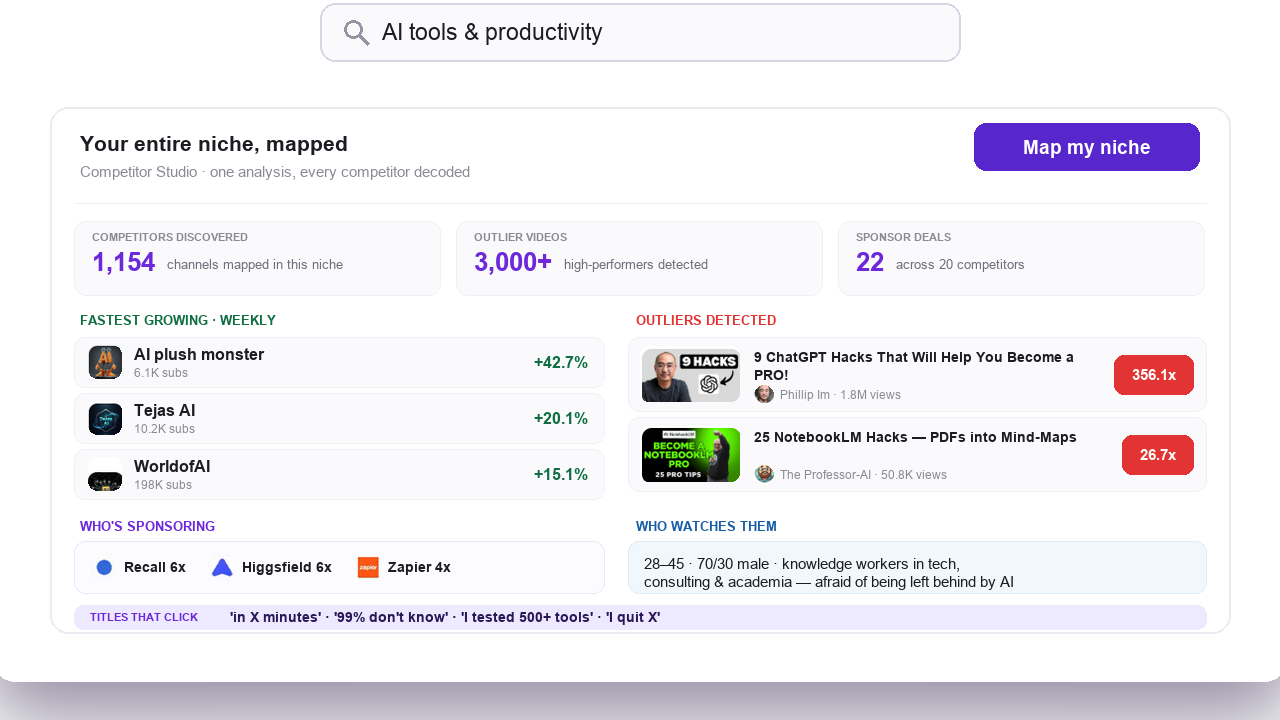
Break down any competitor channel: best videos, growth patterns, and content strategy, then use those insights to outperform them.
Keyword Research
Find high-volume, low-competition keywords to rank your videos higher in YouTube search and drive organic growth.
Outlier Finder
Discover videos that massively outperformed their channel average. Find proven content ideas and viral patterns in any niche.
YouTube Channel Analyzer
Study any other channel's growth, median views, and outlier videos before you benchmark against it.
Before you record: packaging and script tools
Once you pick the idea, OutlierKit writes the packaging and checks your script. You still film and edit the video yourself. The Title tool ranks its titles against real breakout videos near your topic. All four are on every plan and the 30-credit trial. On Pro and Max, the MCP connector also lets Claude run OutlierKit research for you.
Title
Writes 16 titles and ranks them against real breakout videos near your topic, with a score and a one-line reason for each.
Open in the app →How it worksDescription & hashtags
Writes the 150 characters people see and the rest of the description separately, then picks your hashtags.
Open in the app →How it worksChapters
Writes chapter titles that help viewers scan the video and jump to the part they came for.
Open in the app →Script review
Scores the script you wrote and shows what to fix before you record, so you reshoot and re-edit less.
Open in the app →How it works
Ready to audit your YouTube channel?
Agencies, brand teams, and creators use OutlierKit to audit channels and get a prioritized fix list instead of another dashboard.
Start Your Free AuditWhat Is a YouTube Channel Audit?
A YouTube channel audit is a structured review of a channel's performance, SEO, content strategy, and audience engagement to find what is holding growth back. A good audit ends with a prioritized action plan rather than a static report. OutlierKit's audit tool runs this analysis automatically from a channel URL, free to start.
- • What a YouTube audit tool checks: top and bottom videos against the channel's own baseline, upload consistency, engagement benchmarks, and content gaps versus competitors.
- • When to run one: quarterly for an active channel, and always before buying a channel or taking on a client's channel.
- • Manual or automated: the manual process takes 3-4 hours with the channel audit checklist; the automated audit takes minutes and covers the same dimensions.
Comparing options first? See the best YouTube channel audit tools compared or follow the step-by-step how to audit a YouTube channel guide.
Channel Audits for Agencies and Brands
The audit runs on any public channel, which makes it as useful for evaluating someone else's channel as for improving your own.
- • Client onboarding: audit a prospective client's channel before the contract starts, so your first report is a prioritized fix list with realistic 90-day targets.
- • Brand and acquisition channels: benchmark a brand channel against its competitors each quarter, and treat YouTube as a measurable acquisition channel with its own CTR and retention numbers.
- • Due diligence: audit any public channel before acquiring, sponsoring, or partnering with it. The audit covers externally visible data: video performance, growth trends, keyword rankings, and engagement.
For Pro and Max users
Want channel analysis programmatically?
The OutlierKit API gives you AI-enhanced metadata, outlier scoring, and similar-channel discovery for any channel. It is the same data the audit tool uses. Calls cost 2 to 10 credits depending on the endpoint, JSON in / JSON out.
YouTube Channel Audit Resources
Go deeper with our complete audit content library. Start with YouTube Studio and YouTube Analytics for your own data, then check the YouTube Help Center for official best practices. Learn the methodology, grab a ready-to-use checklist, or find the right tools for the job. Also see our best YouTube analytics tools roundup.
How to Audit a YouTube Channel
Complete 7-step guide covering content performance, SEO, audience analysis, competitor benchmarking, and growth planning.
YouTube Channel Health Check
6-step guide to check your channel health online. Score 5 dimensions yourself and benchmark against competitors.
YouTube Channel Audit Checklist 2026
50+ actionable checkpoint items across 7 categories. Copy this checklist and run a thorough audit every quarter.
Best YouTube Channel Audit Tools
Compare 7 audit tools, free and paid. See which ones handle SEO scoring, competitor benchmarking, and content gap analysis.