Transparency & accuracy notice
This comparison is published on OutlierKit's resource site. Feature descriptions are based on publicly available information from each product's website as of July 11, 2026. Features, pricing, and capabilities may change. We encourage readers to verify current information directly with each product.
Last verified: July 11, 2026. If you notice any inaccuracies, please visit the official product websites to verify.
TL;DR
Winner: It Depends on Your Needs
Choose VidIQ if you prioritize finding what to create. Its keyword research, AI-powered Daily Ideas, and competitor tracking help you discover topics with actual demand before you invest time creating content.
Choose TubeBuddy if you prioritize optimizing what you've created. Its A/B testing, bulk processing, and workflow tools help you maximize performance of existing content and manage your channel efficiently.
Bottom Line:
VidIQ tells you what to create. TubeBuddy helps you optimize how it performs. Many successful creators use both: VidIQ for research, TubeBuddy for testing. If you can only pick one, TubeBuddy offers better value; VidIQ offers better intelligence.
Who is each tool best for?
Best for research-first creators who need deep keyword research, AI Daily Ideas, and competitor tracking to decide what to make before filming.
Best for optimization-first creators who want A/B testing, bulk processing, and YouTube Studio integration to squeeze more performance from existing videos.
Best for budget-conscious and small channels. The Pro tier at $12/mo billed annually undercuts VidIQ Boost ($16.58/mo billed annually), which makes it the cheaper serious option.
Best for scaling full-time creators who can run VidIQ for research and TubeBuddy for testing side by side. The two tools cover different halves of the workflow.
Best for agencies and brand teams. VidIQ for keyword strategy across client channels, TubeBuddy for bulk metadata ops and A/B testing. Pair either with a niche-research layer like OutlierKit for portfolio-level strategy.
How do you choose between vidIQ and TubeBuddy?
Answer these questions in order. The first "yes" usually points to your pick:
Do you need to A/B test thumbnails and titles on live videos?
If yes, pick TubeBuddy. It's the only major tool with real A/B testing, available on the Legend plan ($27/mo billed annually).
Is finding topics with real search demand your biggest struggle?
If yes, pick VidIQ. Its keyword research and AI Daily Ideas lead on ideation, starting on the Boost plan ($19/mo, or ~$16.58/mo billed annually).
Do you manage 50+ videos and need bulk edits to cards, tags, or end screens?
If yes, pick TubeBuddy. Its Bulk Copy and bulk-update tools are built for large libraries.
Are you a brand-new or budget-tight channel under 1,000 subscribers?
If yes, pick TubeBuddy. Its Pro plan costs $12/mo billed annually, less than VidIQ Boost at $16.58/mo.
Do you want to understand why videos go viral, beyond ranking for keywords?
If yes, consider OutlierKit alongside either tool. See OutlierKit vs VidIQ for how outlier detection differs from keyword research.
Which tool fits which job?
| Tool | Best For | Key Strength |
|---|---|---|
| VidIQ | Keyword research & SEO | Industry-leading keyword database with trend prediction |
| TubeBuddy | A/B testing & workflow optimization | Only major tool with thumbnail/title A/B testing |
| OutlierKit | Content strategy & outlier detection | Find viral patterns before creating (not available in VidIQ or TubeBuddy) |
| VidIQ + TubeBuddy | Agencies & brand teams | VidIQ for keyword strategy across clients, TubeBuddy for bulk ops and A/B testing; add OutlierKit for niche research |
What is VidIQ?
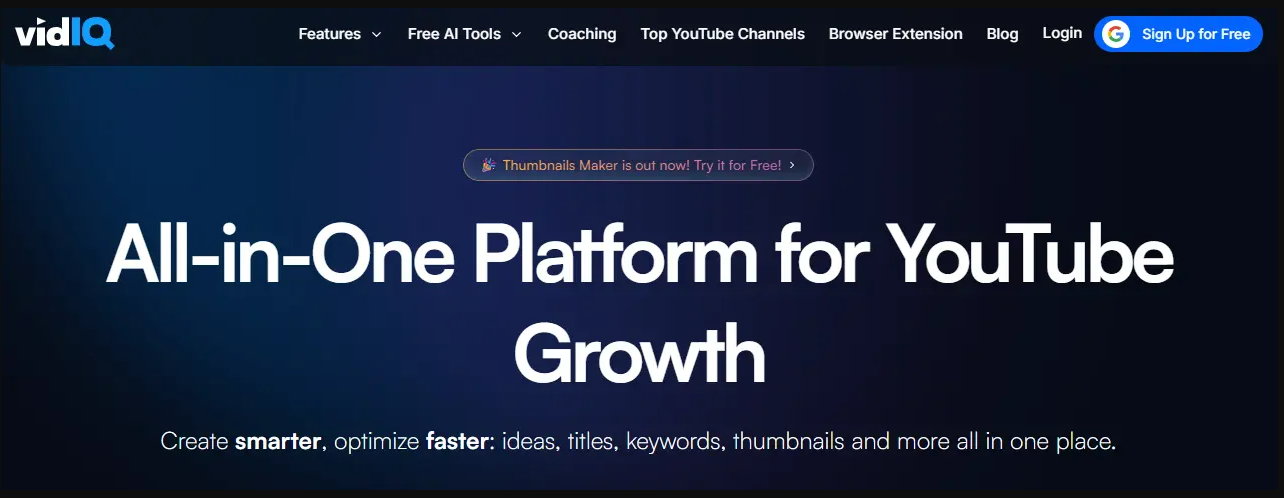
VidIQ Dashboard
VidIQ is a YouTube optimization platform that started as a simple Chrome extension and has evolved into an AI-powered growth suite. As an official YouTube Certified partner, it uses direct API access to provide deep insights into video performance, keyword opportunities, and competitor strategies.
Founded in 2012, VidIQ has grown to over 2 million active users. The company positions itself as the "research and ideation" tool. It helps creators discover what content to make before they make it. Their standout features include Views Per Hour tracking, predictive keyword analysis, and AI-powered Daily Ideas that generate personalized video topics.
Best For
- • Creators who prioritize keyword research
- • Those who want AI-generated video ideas
- • Competitive niches requiring deep analysis
- • Trend-conscious creators who need early alerts
Not Ideal For
- • Creators who need A/B testing
- • Channels with large video libraries needing bulk edits
- • Budget-conscious creators (best features are $49/mo Max plan)
Key Features
- Views Per Hour (VPH): Real-time tracking showing how videos perform in their first hours. Spot viral content early and understand what's driving sudden traffic spikes.
- AI Daily Ideas: Personalized video topic suggestions generated daily based on your niche, trending topics, and audience behavior. Each idea includes keyword data and competition analysis.
- Keyword Research: Industry-leading keyword tool with search volume, competition scores, and trend predictions. Find long-tail keywords your competitors are missing.
- Competitor Tracking: Monitor unlimited channels with real-time alerts for uploads, title changes, and view velocity. See exactly what's working in your niche.
- SEO Score: Get optimization scores for every video with specific, actionable recommendations for improving discoverability.
Pros
- • Industry-leading keyword research
- • AI Daily Ideas delivers for ideation
- • Best competitor tracking available
- • Views Per Hour for trend spotting
- • Strong free plan for beginners
- • Predictive trend analysis
Cons
- • No A/B testing whatsoever
- • Higher pricing than competitors
- • Best features require $49/mo Max plan
- • Limited bulk processing tools
- • Steeper learning curve
- • Can feel overwhelming initially
What is TubeBuddy?
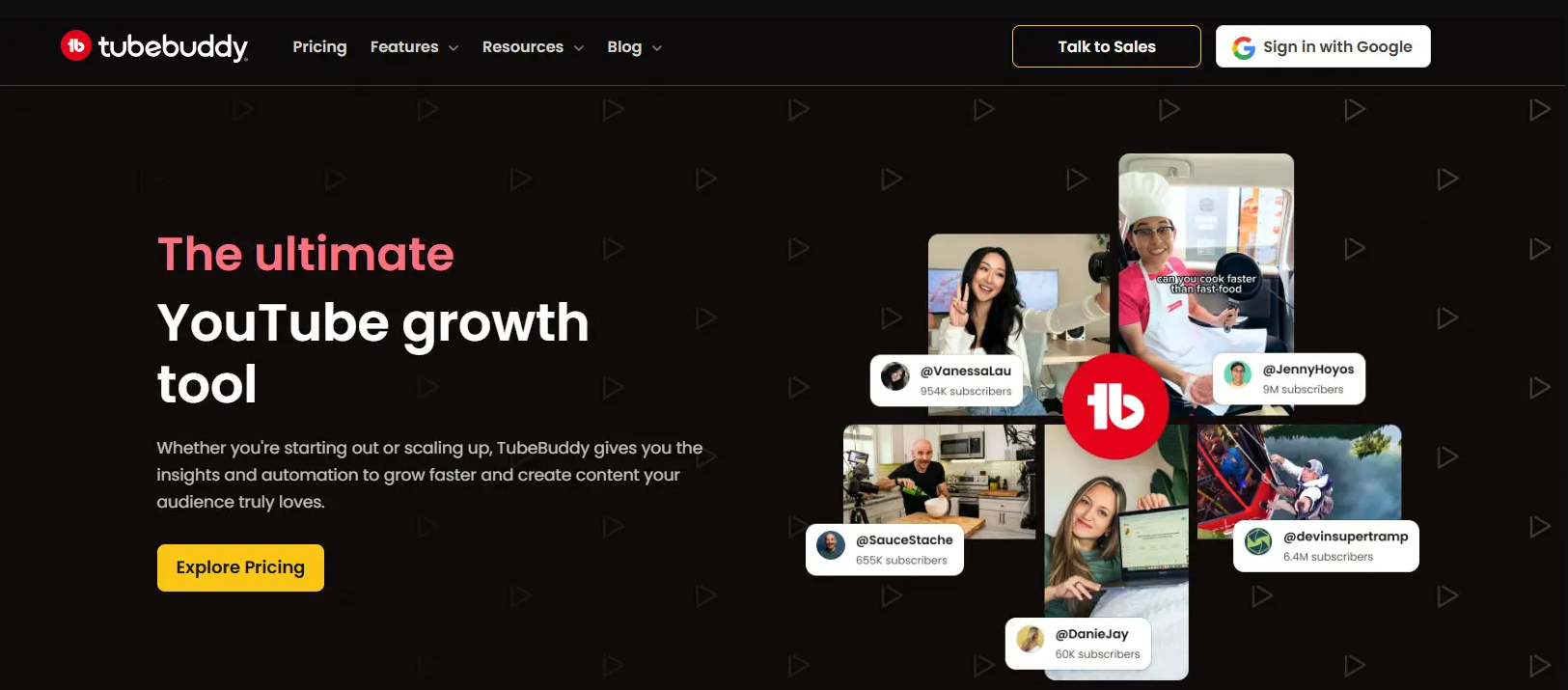
TubeBuddy Dashboard
TubeBuddy is a browser extension and channel management platform trusted by over 15 million YouTube creators. While VidIQ focuses on research, TubeBuddy positions itself as a "workflow optimization" tool that helps you test, optimize, and manage your content at scale.
Founded in 2014, TubeBuddy integrates directly into YouTube Studio, adding tools and insights right where creators already work. Its claim to fame is the A/B testing feature that lets you scientifically test thumbnails, titles, descriptions, and tags. No other major tool offers that. The company also offers generous discounts for smaller creators.
Best For
- • Creators who want to A/B test content
- • Channels with 50+ videos needing bulk management
- • Budget-conscious creators seeking value
- • Those who prefer working within YouTube Studio
Not Ideal For
- • Deep keyword research requirements
- • Advanced competitor intelligence needs
- • Creators who want AI-powered ideation
Key Features
- A/B Testing: The gold standard for thumbnail and title testing. Run statistically significant tests that automatically rotate variants and declare winners based on CTR data. A winning variant consistently beats the loser; the size of the lift depends on your baseline.
- Bulk Processing: Update cards, end screens, descriptions, tags, and more across hundreds of videos simultaneously. Essential for rebranding, fixing mistakes, or adding new calls-to-action to old content.
- Best Time to Publish: Analyzes your audience's activity patterns to recommend optimal upload times. Takes the guesswork out of scheduling and helps maximize initial views.
- Thumbnail Generator: AI-powered thumbnail creation with customizable templates. Generate professional-looking thumbnails without leaving YouTube Studio.
- Scheduled Publishing: Queue videos for future publishing at your optimal times. Plan content weeks in advance and maintain a consistent upload schedule.
Pros
- • Only tool with real A/B testing
- • Powerful bulk processing saves hours
- • Lower annual prices than VidIQ at both tiers
- • Integrates into YouTube Studio
- • Beginner-friendly interface
Cons
- • Keyword research is weaker than VidIQ
- • AI features feel bolted-on
- • Constant upselling gets annoying
- • Limited trend discovery
- • Some users report login issues
- • Competitor analysis is basic
How do vidIQ and TubeBuddy compare feature by feature?
The breakdown below covers the features that matter most to YouTube creators:
Keyword Research
VidIQ's keyword research is industry-leading. The Keyword Inspector shows search volume, competition scores, and related terms. The tool also predicts trending keywords before they peak, giving creators a first-mover advantage on emerging topics.
TubeBuddy offers solid keyword research with its Keyword Explorer tool. You get search volume estimates and competition scores, but it lacks VidIQ's predictive trending analysis. The tag suggestions are helpful but more basic.
Verdict: VidIQ wins for serious keyword research. Its predictive capabilities and deeper analytics make it the choice for creators who prioritize SEO strategy.
A/B Testing
VidIQ does not offer A/B testing functionality. This is a significant gap for creators who want to scientifically optimize their thumbnails and titles. You'll need to rely on manual testing or use another tool.
TubeBuddy's A/B testing is unmatched in the industry. Test thumbnails, titles, descriptions, and tags with statistical significance tracking. The tool automatically rotates variants and declares winners based on CTR data.
Verdict: TubeBuddy wins decisively. A winning thumbnail in a real test can lift CTR well above the losing variant, and the lift compounds across a library. TubeBuddy is the only major tool offering this feature, which alone justifies the subscription for many creators.
Competitor Analysis
VidIQ excels at competitor tracking. Monitor unlimited channels, see their real-time view velocity, track title/thumbnail changes, and analyze their top-performing content. The Competitors Tool shows upload schedules and growth patterns.
TubeBuddy offers basic competitor analysis through its Videolytics feature. You can see stats on individual videos, but the channel-level tracking is limited compared to VidIQ. No real-time monitoring or change tracking.
Verdict: VidIQ wins for competitive intelligence. If understanding what works for competitors is central to your strategy, VidIQ's depth is worth the premium.
Bulk Processing
VidIQ offers limited bulk capabilities. You can copy tags between videos and do basic bulk operations, but the tool wasn't designed for large-scale channel management. Managing hundreds of videos is cumbersome.
TubeBuddy dominates bulk processing. Update cards, end screens, descriptions, and tags across hundreds of videos simultaneously. The Bulk Copy feature alone saves hours for channels with large libraries. Essential for content repurposing.
Verdict: TubeBuddy wins by a wide margin. If you have 50+ videos and need to make sweeping changes, TubeBuddy's bulk tools are indispensable.
AI Features
VidIQ's AI Coach and Daily Ideas are standout features. The AI generates personalized video topics daily based on your niche, trending topics, and audience behavior. It also provides optimization suggestions and predicts video performance.
TubeBuddy has added AI features including a title generator and thumbnail AI, but they feel bolted-on rather than integrated. The suggestions are generic compared to VidIQ's personalized AI coaching approach.
Verdict: VidIQ wins for AI innovation. If you want AI involved in ideation as well as optimization, VidIQ's Daily Ideas feature is worth using.
Trend Discovery
VidIQ's trend detection is sophisticated. The Trending Videos feature shows what's gaining traction in your niche before it peaks. Views Per Hour (VPH) tracking lets you spot viral content early and capitalize on trends.
TubeBuddy shows trending videos but lacks the predictive element. You can see what's already popular, but you won't get early warnings on emerging trends. The trend tools are reactive rather than proactive.
Verdict: VidIQ wins for trend-conscious creators. Catching trends early can mean 10x more views, and VidIQ's VPH tracking gives you that edge.
User Interface
VidIQ has a clean, modern interface but can feel overwhelming. The sidebar widget shows lots of data, and navigating between tools requires learning the dashboard. Power users love it; beginners may feel lost initially.
TubeBuddy integrates directly into YouTube Studio, which feels more natural. Tools appear where you need them, and the learning curve is gentler. The interface is more intuitive for creators who prefer working within YouTube.
Verdict: TubeBuddy wins for ease of use. Its YouTube Studio integration means less context-switching and a more intuitive experience for most creators.
Value for Money
VidIQ's Boost plan costs $19/month month-to-month, or about $16.58/month billed annually ($199/year). The free plan is generous for beginners, and the top Max tier costs $49/month monthly ($39/month billed annually). The AI features justify the cost for some.
TubeBuddy is cheaper on annual billing. Pro costs $12/month billed annually ($144/year), and Legend, with A/B testing and bulk processing, costs $27/month billed annually ($324/year), per TubeBuddy's own TubeBuddy vs vidIQ article. TubeBuddy does not publish US monthly-billing prices in a citable form.
Verdict: TubeBuddy wins on price at both levels on annual billing: Pro ($12/mo) costs less than Boost ($16.58/mo), and Legend ($27/mo) costs less than Max ($39/mo). The gap is modest, so pick by feature, not price.
Overall Score
VidIQ wins
TubeBuddy wins
How much does vidIQ cost compared with TubeBuddy?
Both tools offer free plans, but the real value is in their paid tiers. A complete breakdown as of July 2026:
VidIQ Pricing
- 150 AI credits/month
- Niche trends
- Daily content ideas
- AI Coach tips
~$16.58/mo billed annually ($199/yr)
- Unlimited keyword searches
- AI Daily Ideas
- Competitor tracking
- Trend alerts
- 2,000 AI credits/month
$39/mo billed annually ($468/yr)
- All Boost features
- 6,000 AI credits/month
- 3x AI Coach conversations
- Max Mode AI
- Short clipping & generations
TubeBuddy Pricing
Billed annually, per TubeBuddy's own figures
- Basic SEO tools
- Limited keyword explorer
- Card templates
- Basic analytics
billed annually ($144/yr)
- Full keyword explorer
- Tag suggestions
- Best time to publish
- Video topic planner
billed annually ($324/yr)
- Everything in Pro
- A/B testing
- Bulk processing
- Scheduled publishing
- Retention analysis
VidIQ pricing accurate as of July 11, 2026; see vidiq.com/plans. TubeBuddy prices come from TubeBuddy's own TubeBuddy vs vidIQ article, checked 28 Sep 2026, billed annually.
Pricing Analysis
For budget-conscious creators: TubeBuddy Pro at $12/month billed annually is the cheaper entry point, against $16.58 for VidIQ Boost.
For serious keyword research: VidIQ Boost at about $16.58/month billed annually ($19 month-to-month) is solid value with AI Daily Ideas that save hours of research weekly. The Max plan ($39/month billed annually, $49 month-to-month) adds 6,000 AI credits and Max Mode AI.
For A/B testing needs: TubeBuddy Legend at $27/month billed annually is the only way to get proper A/B testing. If a winning test lifts CTR even modestly across a library of videos, the subscription pays for itself.
Best overall value: TubeBuddy Pro ($12/month billed annually) is the cheaper entry point. At the top end, Legend ($27/month billed annually) costs less than VidIQ Max ($39/month billed annually) but more than Boost, so choose by feature (A/B testing vs keyword research) rather than price alone.
Savings Calculation
- Entry level (billed annually): VidIQ Boost ~$16.58/mo vs TubeBuddy Pro $12/mo, so TubeBuddy is ~28% cheaper (~$4.58/mo, $55/yr saved: $199 vs $144).
- Full features (billed annually): VidIQ Max $39/mo vs TubeBuddy Legend $27/mo, so TubeBuddy is ~31% cheaper ($12/mo, $144/yr saved: $468 vs $324). TubeBuddy does not publish a US month-to-month price in a citable form, so compare on annual billing.
What do users say about vidIQ and TubeBuddy?
We analyzed aggregate review data from Trustpilot, Chrome Web Store, and Capterra. The recurring themes:
VVidIQ User Reviews
VidIQ has drawn 1,300+ reviews on Trustpilot, plus a 4.5/5 on Chrome Web Store from roughly 11K ratings.
Recurring praise: keyword research and title/tag suggestions credited with real ranking gains, and customer support repeatedly singled out as fast and genuinely helpful.
Recurring complaints: billing and auto-renewal friction, an AI credit system that burns credits unexpectedly, and a restricted free plan.
TTubeBuddy User Reviews
TubeBuddy holds 4.5/5 on Chrome Web Store from roughly 8.5K ratings, plus a 4.6/5 on Capterra from 113 reviews.
Recurring praise: Keyword Explorer and the bulk tools save serious time, the extension sits right inside YouTube Studio, and reviewers repeatedly credit the SEO tools with real ranking improvements.
Recurring complaints: a heavily paywalled free tier, an interface that can overwhelm beginners, and recurring extension bugs and loading problems.
Review Insights
Common VidIQ praise: Keyword research depth, title/tag suggestions, fast and helpful support
Common VidIQ complaints: Billing and auto-renewal friction, AI credits burning unexpectedly, restricted free plan
Common TubeBuddy praise: Keyword Explorer, time-saving bulk tools, works right inside YouTube Studio
Common TubeBuddy complaints: Heavily paywalled free tier, overwhelming interface for beginners, extension bugs
Who should choose which tool?
Our recommendation framework:
Choose VidIQ if you...
- ✓Struggle to find video topics with actual search demand
- ✓Want AI to generate daily content ideas personalized to your niche
- ✓Need to closely monitor competitors and understand their strategies
- ✓Want to catch trending topics before they peak
- ✓Will pay for Max ($49/month) to get the full research set
- ✓Run keyword strategy across multiple client channels and need trend alerts per client niche (agency use case)
Best plan: Boost (~$16.58/mo billed annually, $19/mo monthly) for AI and research; Max ($39/mo billed annually) for full features
Choose TubeBuddy if you...
- ✓Want to scientifically test thumbnails and titles
- ✓Have a large video library that needs bulk updates
- ✓Prefer tools that integrate directly into YouTube Studio
- ✓Want the best value for your money
- ✓Are a smaller channel looking for affordable optimization
- ✓Are an agency that needs bulk metadata ops and A/B testing across client channels
Best plan: Legend ($27/mo billed annually) for A/B testing and bulk tools; Pro ($12/mo billed annually) for keyword SEO
Before You Decide: Consider OutlierKit
While VidIQ and TubeBuddy are excellent tools, they share a common limitation: they focus on keywords and optimization rather than what actually makes videos succeed. OutlierKit takes a different approach. It is built for experts, consultants and coaches who use YouTube to share what they know.
Outlier Detection
While VidIQ's Outlier tool and TubeBuddy's Content Standouts both identify over-performing videos, OutlierKit goes deeper. It adds psychographic analysis, sponsor intelligence, and monetization context to explain why outliers succeed and how to replicate their patterns.
Psychographic Analysis
Understand why your audience watches: their motivations, pain points, and desires, beyond raw demographic data. That insight helps you create content that emotionally connects and still ranks.
Pricing and Free Trial
Hobby costs $49/month (100 credits monthly), and the free trial gives you 30 credits with no card. Every plan also writes titles, the description and hashtags, and chapters, and reviews your script before you record. Pro and Max add Competitor Studio and an MCP connector so Claude can run the research. OutlierKit complements VidIQ and TubeBuddy; it does not replace them.
Which free tools are worth trying?
Before committing to paid tools, check out these free options from UtubeKit:
AI Title Generator
Generate click-worthy, SEO-optimized video titles using AI. Get 10+ variations instantly.
Try free →
Hashtag Generator
Find trending and relevant hashtags to increase your video's discoverability.
Try free →
Thumbnail Analyzer
Get AI feedback on your thumbnail's effectiveness before publishing.
Try free →
What Users Say
VidIQ
“Keyword research and title/tag suggestions get credited with real ranking gains, and customer support is repeatedly singled out as fast and genuinely helpful.”
“Billing and auto-renewal friction is the loudest complaint, along with an AI credit system that burns credits unexpectedly and a restricted free plan.”
TubeBuddy
“Keyword Explorer and the bulk tools save serious time, and the extension sits right inside YouTube Studio. Reviewers repeatedly credit the SEO tools with real ranking improvements.”
“The free tier is heavily paywalled, the interface can overwhelm beginners, and reviewers report recurring extension bugs and loading problems.”
⚖️
Which is better, vidIQ or TubeBuddy?
VidIQ Wins At:
- ✓ Keyword research & SEO strategy
- ✓ AI-powered content ideation
- ✓ Competitor intelligence
- ✓ Trend prediction & discovery
TubeBuddy Wins At:
- ✓ A/B testing (exclusive feature)
- ✓ Bulk video management
- ✓ Value for money
- ✓ User-friendly interface
The honest answer: Many successful creators use both tools: VidIQ for research and ideation, TubeBuddy for optimization and testing. They serve different purposes.
If you can only pick one: TubeBuddy offers better value and unique A/B testing. VidIQ offers deeper intelligence and better AI.
Want something different? OutlierKit adds psychographic analysis, sponsor intelligence, and deeper contextual insights on top of outlier detection.
Frequently Asked Questions
Is VidIQ better than TubeBuddy?
Neither is universally better. They excel at different things. VidIQ is superior for keyword research, AI-powered content ideas, competitor analysis, and trend discovery. TubeBuddy wins for A/B testing, bulk video management, user-friendly interface, and value for money. Many successful creators use both tools together: VidIQ for research, TubeBuddy for optimization.
Is VidIQ or TubeBuddy worth paying for?
Yes, if you're serious about YouTube growth. Both offer free plans, but the paid features target specific jobs: TubeBuddy's A/B testing finds the stronger thumbnail or title with real viewers, and VidIQ's keyword research points you at terms with actual search volume. No published study quantifies the growth lift from either tool, so treat vendor ROI claims with skepticism. Start with free plans, then upgrade when you hit their limitations.
Can I use VidIQ and TubeBuddy together?
Yes, and many successful creators do exactly this. The common strategy is using VidIQ for research and ideation (keywords, trends, competitor analysis) and TubeBuddy for optimization and testing (A/B tests, bulk updates, publishing). However, running both browser extensions simultaneously may slow your browser. Consider disabling one when actively using the other.
What's the best free alternative to VidIQ and TubeBuddy?
For completely free tools, UtubeKit offers AI-powered title generators, thumbnail analyzers, and hashtag generators with no signup required. YouTube Studio's built-in analytics are also underrated. They show impression CTR, traffic sources, and audience retention for free. OutlierKit offers a free trial with unique features like psychographic analysis and monetization context that go beyond what VidIQ's Outlier tool or TubeBuddy's Content Standouts provide.
Which tool is better for small channels under 1,000 subscribers?
For brand new creators, VidIQ's free plan is more generous. You get better keyword research and some AI features without paying. TubeBuddy's free plan is thinner, and Pro costs $12/month billed annually. A/B testing requires the Legend plan ($27/month billed annually). But if you can afford it, it will help you learn what works faster than anything else.
Do VidIQ and TubeBuddy actually help grow your channel?
Yes, but they're tools, not magic solutions. They help you make data-driven decisions about keywords, titles, thumbnails, and posting times. Creators who actively use the insights typically grow faster than those who do not. However, no tool can fix bad content. Focus on making great videos first, then use these tools to ensure those videos get discovered.
Which tool has better AI features in 2026?
VidIQ has the edge on AI features. Their AI Daily Ideas generates personalized video topics based on your niche, trends, and audience behavior. The AI Coach provides optimization suggestions. TubeBuddy has added AI title and thumbnail generators, but they feel less integrated and more generic. If AI assistance is your priority, VidIQ is the better choice.
Can I cancel VidIQ or TubeBuddy anytime?
Yes, both tools offer monthly plans you can cancel anytime. Annual plans cost less per month but require upfront payment. VidIQ Boost is $19 monthly or $199 a year. TubeBuddy publishes annual prices ($144 a year for Pro) but no US monthly price in a citable form. Neither tool has cancellation fees. If you're unsure, start with a monthly plan to test, then switch to annual once you're committed. Both also offer free plans you can downgrade to instead of canceling completely.
Which is better for agencies: VidIQ or TubeBuddy?
Both are per-channel creator tools, so agencies usually end up running them side by side rather than picking one. VidIQ is the stronger pick for keyword strategy across client niches: its keyword research, competitor tracking, and trend alerts scale well when every client competes in a different market. TubeBuddy is the stronger pick for bulk metadata ops and A/B testing across client channels, which is most of the recurring optimization work. Two caveats for agency use: subscriptions are licensed per channel, so costs scale linearly with the client roster, and neither tool provides portfolio-level research like niche mapping or outlier detection across a client's entire market. Teams that hit that wall typically add a niche-research layer like OutlierKit alongside.
Free YouTube Research Tools Actually Worth Using in 2026
Sources and method
Features and prices come from each vendor's own site and from public review platforms, checked as of July 11, 2026. The verdicts weigh documented features, pricing terms and public reviews, not a paid test.
Plans change often, so confirm the current price on each vendor's pricing page before you buy. OutlierKit publishes this page and sells a research tool in the same space, so weigh the verdict with that in mind.
Sources
- vidIQ plans page: plans and prices
- TubeBuddy vs vidIQ (TubeBuddy blog): Pro and Legend annual prices, checked 28 Sep 2026
- vidIQ on the Chrome Web Store
- vidIQ reviews on G2
- vidIQ reviews on Capterra
- vidIQ reviews on Trustpilot
- TubeBuddy on the Chrome Web Store
- TubeBuddy reviews on Capterra
- TubeBuddy reviews on G2
- OutlierKit's vidIQ review: features, limits and ratings
- vidIQ pricing breakdown: tier-by-tier prices and limits
- OutlierKit's TubeBuddy review: features, limits and ratings
- TubeBuddy pricing breakdown: tier-by-tier prices and limits
Ready to grow your YouTube channel?
OutlierKit is built for experts, consultants and coaches who share what they know on YouTube. It finds the videos beating their channel average in your niche, then writes your title, description and chapters and reviews your script before you record. On Pro and Max, Claude can run the same research through the MCP connector.
Try OutlierKit Free