OutlierKit vs Viewstats: Complete Comparison (2026)
OutlierKit is better for content strategy and competitor research, while Viewstats excels as a free channel statistics tracker. They serve different needs and price points.
OutlierKit and Viewstats are both YouTube analytics tools, but they serve different purposes. OutlierKit is built for experts, consultants and coaches who use YouTube to share what they know, and it helps them decide what to create. Viewstats helps you track channel statistics. For scale, our subscriber benchmarks by niche ranked 112,562 active channels and found the median channel has under 35K subscribers in every niche.
Transparency & accuracy notice
This comparison is published on OutlierKit's resource site. Feature descriptions are based on publicly available information from each product's website as of September 13, 2026. Features, pricing, and capabilities may change. We encourage readers to verify current information directly with each product.
Last verified: September 13, 2026. If you notice any inaccuracies, please visit the official product websites to verify.
Different tools, different purposes
OutlierKit is a content strategy tool. It analyzes competitor videos to find proven content patterns and helps you decide what to create next. Viewstats is a statistics tracker. It shows real-time subscriber counts, view data, and channel metrics. Many creators use both.
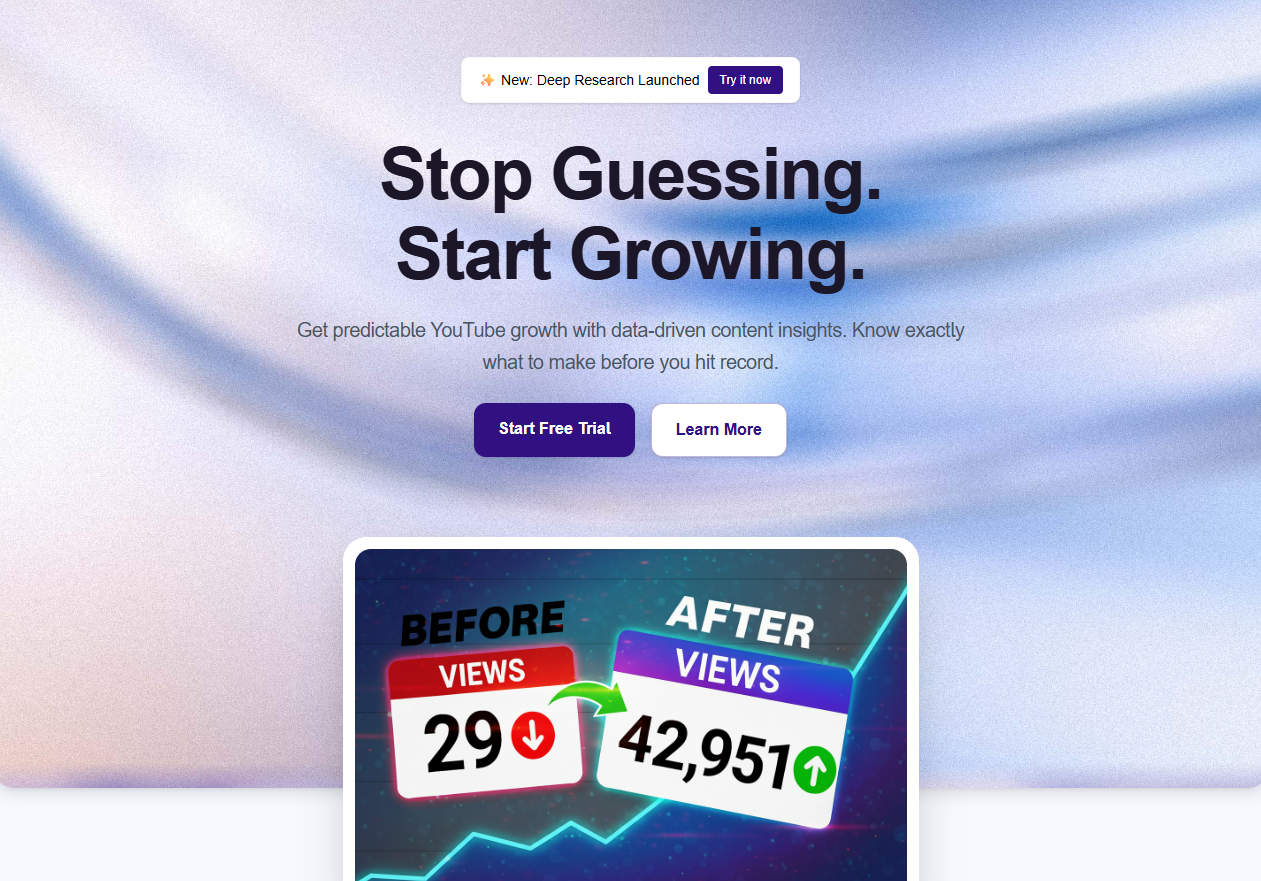
OutlierKit
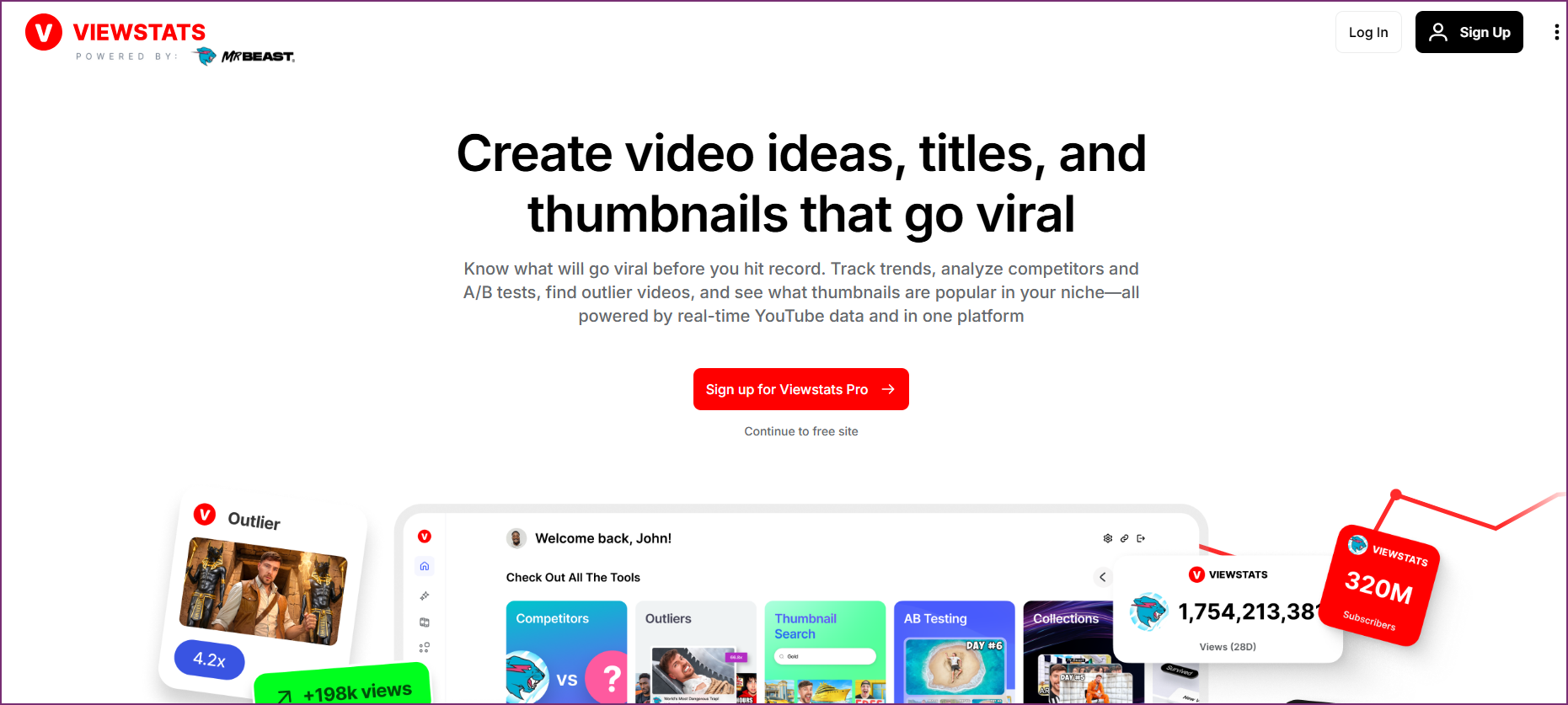
Viewstats
How do OutlierKit and ViewStats compare at a glance?
| Feature | OutlierKit | Viewstats |
|---|---|---|
| Best For | Experts, consultants and coaches planning videos from proven topics | Channel statistics & real-time tracking |
| Starting Price | From $49/mo | Free; Premium $4.99/mo; Pro $49.99/mo; Business from $249/mo (as listed on their website) |
| Unique Feature | Outlier detection + psychographic analysis | Real-time sub counts & public analytics |
| Learning Curve | Easy | Very Easy |
| User Rating (via Product Hunt & Uneed for OutlierKit; Chrome Web Store for Viewstats) | 5.0/5 | 4.5/5 |
Which tool fits which job?
| Tool | Best For | Key Strength |
|---|---|---|
| OutlierKit | Content strategy & competitor analysis | Outlier detection + psychographic analysis for strategic decisions |
| Viewstats | Channel statistics & real-time tracking | Free real-time subscriber counts and historical data |
| Both | Creators who want a complete toolkit | Use together for research + real-time stats tracking |
Who is each tool best for?
Best for experts, consultants and coaches who want to know what content to make before they make it. OutlierKit's outlier detection and content-strategy tools surface proven patterns across an entire niche.
Best for competitive researchers who need to understand why rival videos succeed. OutlierKit adds psychographic audience insights and deep competitor analysis on top of the raw numbers.
Best for agencies that manage multiple client niches from one seat. OutlierKit's Competitor Studio maps thousands of channels per client from a single seed channel, then exports to client decks. Viewstats has no multi-client workflows.
Best for brands that need category-level competitive intelligence: which topics competitors own, which audiences they miss, and where the content gaps are. Viewstats covers individual channels, not category maps.
Best for packaging researchers who want thumbnail and title change history on individual videos. Viewstats shows exactly how competitors iterated before a video took off; OutlierKit doesn't track packaging changes.
Best for stats enthusiasts who want real-time subscriber counts and long-term growth charts. Viewstats is purpose-built for live tracking and extensive historical data.
Best for budget-conscious creators who just need fast channel lookups. Viewstats' free tier delivers basic analytics and channel comparisons with no signup required.
How do you choose between OutlierKit and ViewStats?
Answer these questions in order. The first one that clearly applies to you points to the right tool.
Do you need to decide what content to create next?
If yes, choose OutlierKit. It detects outlier videos and reveals proven content patterns so you plan from data instead of guessing. If you only want to monitor numbers, keep reading.
Do you need real-time subscriber counts and live tracking?
If yes, choose Viewstats. It's built for live stats, milestone watching, and view-velocity tracking. OutlierKit focuses on strategic analysis and isn't updated in real time.
Do you need to understand why competitors succeed, beyond how big they are?
If yes, choose OutlierKit. Its deep competitor analysis and psychographic audience insights explain the patterns behind performance. Viewstats shows the metrics but not the strategy.
Is a $0 free tier your main requirement?
If yes, choose Viewstats. Its free plan covers real-time counts, basic statistics, and channel comparisons. If you want niche-wide outlier research plus help with titles, descriptions and script review, OutlierKit starts at $49/mo. Many creators run both.
What do OutlierKit and ViewStats each do?
OutlierKit Dashboard
Viewstats Dashboard
Which jobs does each tool cover?
OutlierKit excels at strategy and competitor analysis. Viewstats excels at real-time tracking and historical data. The tools have different strengths for different needs.
What is each tool strongest at?
How do OutlierKit and ViewStats compare feature by feature?
Outlier Video Detection
OutlierKit winsOutlierKit's core feature automatically identifies videos performing 3-10x above channel averages. This reveals proven content patterns and helps you understand what actually works in any niche.
Viewstats shows an outlier score on individual video watch pages. It compares performance against the creator's last 9 uploads. This is useful for spotting standout videos. But it is limited to a narrow comparison window. There is no deeper pattern analysis across niches.
Verdict: OutlierKit wins for depth. Both tools detect outliers. But OutlierKit normalizes across channel sizes. It analyzes patterns across entire niches. It also surfaces why videos over-performed.
Real-Time Statistics
Viewstats winsOutlierKit focuses on strategic analysis rather than real-time tracking. You get comprehensive data, but it's not updated in real-time like dedicated stats trackers.
Viewstats excels at real-time subscriber counts and live statistics tracking. Watch sub milestones, compare channels live, and see real-time view velocity. Great for stats enthusiasts.
Verdict: Viewstats wins for real-time tracking. If watching live stats matters, Viewstats is purpose-built for this use case.
Competitor Analysis
OutlierKit winsDeep competitor analysis reveals content patterns, audience insights, and strategic gaps. Understand what competitors do and why their content succeeds.
Viewstats shows basic competitor metrics: subscriber counts, view trends, and growth rates. Useful for surface-level comparison but lacks strategic depth.
Verdict: OutlierKit wins for strategic analysis. Viewstats compares numbers; OutlierKit reveals patterns and strategies.
Audience Insights
OutlierKit winsUnique psychographic audience analysis reveals viewer motivations, interests, and pain points. Understand why people watch content, not just demographics.
Viewstats provides limited audience data. You see growth trends and geographic estimates but no psychographic depth or motivation analysis.
Verdict: OutlierKit wins with exclusive psychographic analysis. This feature is unique to OutlierKit.
Content Strategy
OutlierKit winsBuilt for content strategy. Outlier detection, trend discovery, and competitor analysis help you plan what to create next. Every choice is based on proven performance data.
Viewstats is primarily an analytics viewer, not a strategy tool. You see what's happening but get limited guidance on what content to create.
Verdict: OutlierKit wins for content planning. Viewstats shows data; OutlierKit helps you act on it.
Ease of Use
Viewstats winsOutlierKit has a clean, focused interface. The learning curve is gentle. But there are more features to explore than simple stats trackers offer.
Viewstats is extremely simple: search a channel, see stats. No account required for basic use. Perfect for quick lookups and casual stats checking.
Verdict: Viewstats wins for simplicity. It's the easiest tool to use for basic stats, though it offers less depth.
Pricing & Value
TieOutlierKit starts at $49/month (Hobby). Outlier detection and psychographic analysis aren't available elsewhere.
Viewstats offers substantial free features. Premium ($4.99/mo) adds more historical data and advanced features; Pro ($49.99/mo) and Business (from $249/mo) serve professional users. Great value for stats-focused users.
Verdict: Tie: different jobs. Viewstats suits people who just want stats, and most of it is free. OutlierKit suits experts, consultants and coaches who plan each video from proven topics.
Historical Data
Viewstats winsOutlierKit provides relevant historical context for analysis but isn't primarily a historical data tool. Focus is on current patterns and opportunities.
Viewstats maintains extensive historical data: subscriber milestones, view history, and long-term growth charts. Great for tracking channel evolution over time.
Verdict: Viewstats wins for historical tracking. If you need years of historical data, Viewstats has more depth here.
How much does OutlierKit cost compared with ViewStats?
OutlierKit Pricing
- ✓100 credits/month
- ✓Outlier video detection
- ✓Keyword research
- ✓Video script analysis
- ✓Title, description, hashtags & chapters
- ✓Script review before you record
- ✓Deep Research
- ✓Trend discovery
- ✓Psychographic analysis
- ✓500 credits/month
- ✓Everything in Hobby
- ✓50 credits per connected channel
- ✓Competitor Studio, API & MCP access
- ✓Advanced competitor analysis
- ✓Priority support
- ✓2,000 credits/month
- ✓50+ YouTube channels
- ✓AI script & hook analysis
- ✓API Access (live)
- ✓MCP Access (live)
- ✓Update Data on Demand
Viewstats Pricing
- ✓Real-time subscriber counts
- ✓Basic channel statistics
- ✓Channel comparisons
- ✓Limited historical data
- ✓All free features
- ✓Extended historical data
- ✓Advanced analytics
- ✓No ads
- ✓Priority data updates
- ✓Everything in Premium
- ✓Where Viewstats gates its most meaningful tools (per reviewer reports)
- ✓Check viewstats.com for current specifics
- ✓Business/organization tier
- ✓Check viewstats.com for current specifics
Value insight: Viewstats's free tier is great for watching stats and basic outlier scores. OutlierKit goes deeper with niche-wide outlier pattern analysis and psychographic audience insights. These strategic features can directly improve your content strategy.
Savings breakdown: Viewstats Free is cheaper upfront with basic outlier scores included. OutlierKit Hobby ($49/mo) adds deeper research: niche-wide outlier pattern analysis, psychographic audience insights, and competitor strategy breakdowns that go beyond per-video outlier scores. If you're weighing Viewstats Pro ($49.99/mo) or Business (from $249/mo) for professional use, compare those against OutlierKit Pro ($99/mo) instead.
What Users Say on Review Platforms
What Users Say
OutlierKit
“Great addition to my stack and simple to use. Hit an issue and the team worked hard to fix it. Great product, hardworking team.”
“Been creating for years, running multiple YouTube channels. OutlierKit is the first tool that actually improved our view counts almost instantly. The competition analysis revealed gaps we never knew existed.”
“OutlierKit has drastically reduced my time to plan content for my SaaS YouTube channel. The deep research feature revealed insights I'd overlooked earlier. A must-have if you're serious about YouTube as an acquisition channel.”
Viewstats
“The analytics are genuinely useful for seeing where a channel stands and projecting growth, and the interface is clean and simple.”
“Most meaningful tools sit behind the Pro paywall, and reviewers report lag, login failures, and a thumbnail-skewing bug on YouTube.”
Which Tool Should You Choose?
The best tool depends on whether you need content strategy (what to create) or statistics tracking (monitoring channel growth).
Finding viral content patterns
OutlierKitOutlierKit's outlier detection analyzes patterns across entire niches and normalizes across channel sizes. Viewstats shows outlier scores per video but only compares against the creator's last 9 uploads. That is less useful for niche-wide pattern discovery.
Watching real-time subscriber counts
ViewstatsViewstats is purpose-built for real-time stats tracking. If you want to watch subscriber milestones or compare live growth, Viewstats excels here.
Understanding why competitors succeed
OutlierKitOutlierKit's deep analysis explains the patterns behind success. Viewstats shows competitor numbers but doesn't reveal strategic insights.
Quick channel lookups
ViewstatsFor fast stats checks without signing up, Viewstats is perfect. Search any channel and instantly see key metrics.
Content planning and ideation
OutlierKitOutlierKit helps you decide what content to create through data-driven analysis. Viewstats doesn't offer content strategy features.
Tracking long-term channel growth
ViewstatsViewstats maintains extensive historical data for tracking channel evolution over months and years.
Does ViewStats Have an MCP Server?
No. ViewStats has no MCP server, no official API, and no developer program. Its stats stay inside the website and the Chrome extension. You cannot pipe them into Claude, ChatGPT, or your own automation tools.
OutlierKit runs a live remote MCP server. Add https://outlierkit.com/mcp as a custom connector in Claude and sign in with Google. That is the entire setup. Ten read-only research tools then work inside your chat. Pull any video's transcript or comments. Get a video analyzed with its outlier score. Find the top outliers in a niche. Find channels similar to a seed channel. Check YouTube keyword search volumes.
MCP access is included on Pro ($99/month, 500 credits), and open to all during the 3-day free trial. Each call costs 2 to 10 credits, with no per-day limits and no per-tool quotas. Top-ups cost $19 per 100 credits. The full setup walkthrough is in our OutlierKit MCP server guide.
Frequently Asked Questions
Basics
Can I use both OutlierKit and Viewstats together?
Yes, and they complement each other well. Use Viewstats for quick stats checks and real-time tracking. Then use OutlierKit for strategic content planning and competitor analysis. The tools serve different purposes.
What's the main difference between these tools?
OutlierKit is a content strategy tool. It helps you decide what videos to make through outlier detection and competitor analysis. Viewstats is a statistics tracker. It shows channel metrics and real-time data. Different tools for different needs.
Comparisons
Which is better for small creators?
Viewstats is more accessible for beginners with its free tier and simple interface. OutlierKit is built for experts, consultants and coaches who use YouTube to share what they know. It shows which topics already beat a channel's usual views, so you plan from proof.
Does OutlierKit have real-time stats?
No, OutlierKit focuses on strategic analysis rather than real-time tracking. If live subscriber counts and real-time views matter to you, Viewstats is the better choice for that specific use case.
Does ViewStats have an MCP server or API?
No. ViewStats has no MCP server, official API, or developer program, so it cannot connect to Claude, ChatGPT, or automation tools. OutlierKit's MCP server is covered in the section above and in our MCP server guide.
Pricing & Value
Is Viewstats really free?
Viewstats offers substantial free features including real-time subscriber counts and basic analytics. Premium ($4.99/mo), Pro ($49.99/mo), and Business (from $249/mo) plans add extended historical data and advanced features, but the free tier is genuinely useful.
Is OutlierKit worth the price compared to free Viewstats?
It depends on your goals. Viewstats is great for watching stats and basic outlier scores. OutlierKit goes deeper with niche-wide pattern analysis and psychographic audience insights that can directly improve your content strategy. It fits experts, consultants and coaches who plan videos around their expertise. The free trial gives you 30 credits with no card.
Which is better, OutlierKit or ViewStats?
Choose OutlierKit if:
- ✓You are an expert, consultant or coach, or an agency running their channel, and want to know what to create before making it
- ✓Understanding competitor success patterns matters
- ✓You want psychographic audience insights
- ✓You need outlier detection to find viral content patterns
Choose Viewstats if:
- ✓You want to track real-time subscriber counts and milestones
- ✓Quick channel lookups without signup matter to you
- ✓You need extensive historical data and growth charts
- ✓You're on a tight budget and need free analytics
Many creators use both
OutlierKit and Viewstats serve different purposes. Use Viewstats for quick stats checks and real-time tracking. Use OutlierKit for strategic content planning. It helps you decide what videos to make based on proven outlier patterns. The tools complement each other well.
See the YouTube Competitor Analysis Tool Nobody Talks About
Sources and method
Features and prices come from each vendor's own site and from public review platforms, checked as of September 13, 2026. The verdicts weigh documented features, pricing terms and public reviews, not a paid test.
Plans change often, so confirm the current price on each vendor's pricing page before you buy. OutlierKit publishes this page and sells a competing research tool, so weigh the verdict with that in mind.
Sources
- OutlierKit pricing: plans and prices
- ViewStats pricing page: plans and prices
- ViewStats on the Chrome Web Store
- OutlierKit reviews on Product Hunt
- ViewStats pricing breakdown: tier-by-tier prices and limits
Ready to find viral content patterns?
OutlierKit reveals what content works and why. Stop guessing what to create. Start with data-driven content strategy.
Start Free Trial