TubeBuddy vs Spotter Studio (2026): Spotter Closed, Use This Instead
Spotter Studio closed to creators on October 22, 2025, so TubeBuddy is the only one of the two you can buy. TubeBuddy has a free plan, and Pro costs $12/mo billed annually. For Spotter's AI ideation job, 1of10 is the closest replacement.
TubeBuddy and Spotter Studio sat on opposite sides of the workflow. TubeBuddy is a veteran channel management and SEO suite. It optimizes your videos. Spotter Studio was an AI ideation and planning workspace for creators who already published consistently, until Spotter moved it in-house. Before you pay for any replacement, see where your channel stands: our subscriber benchmarks by niche ranked 112,562 active channels, and the median has under 35K subscribers in every niche.

A quick tour of the research tools worth your time in 2026. Useful context before you pick between TubeBuddy and Spotter Studio.
TL;DR
Spotter Studio closed to creators on October 22, 2025. You cannot sign up or pay for it. Choose TubeBuddy for keyword research, SEO, A/B testing, and bulk management (free plan, paid from $12/mo billed annually). For Spotter-style AI brainstorms, titles and thumbnails, use 1of10 (free plan, Basic $19/mo). For outlier research scored against each channel's baseline, use OutlierKit, from $49/mo with a 30-credit trial. See all Spotter Studio alternatives.
Spotter Studio is closed
Spotter shut off public access to Studio on October 22, 2025, per Tubefilter's report. On September 28, 2026, spotterstudio.com redirected to spotter.com and the old pricing page returned a 404. The Spotter Studio prices below are historical.
Who is each tool best for?
Best for creators optimizing an existing channel: your videos aren't getting found. You need keyword research, SEO scoring, and A/B testing. Those fix your titles, tags, and thumbnails. Starts free, paid from $12/mo billed annually.
Closed to creators since October 22, 2025: Spotter Studio used to serve established creators who ran out of ideas. You can no longer sign up. Use 1of10 for AI ideation or OutlierKit for outlier research instead.
Best for small and new channels on a budget: TubeBuddy has a permanent free plan, and Pro costs $12/mo billed annually. That makes it the low-cost entry point.
Former Spotter teams: the Projects planner and 2-seat workspace closed with Studio. 1of10 keeps idea, title and thumbnail work in one place, with a free plan and Basic at $19/mo.
What should you use now that Spotter Studio is closed?
Answer these five questions in order. The first one that clearly matches you settles it.
1. Are your videos already good but not getting found?
Is your problem getting found and getting clicks? Pick TubeBuddy. It gives you keyword research, SEO scoring, and A/B testing.
2. Do you need to split-test thumbnails and titles on live videos?
If yes and you have ~1,000+ subscribers, pick TubeBuddy. Live A/B testing is its signature feature. Spotter Studio never ran live tests.
3. Is your bottleneck ideas, not optimization?
This was Spotter Studio's job before it closed. For AI brainstorms, titles and thumbnails, pick 1of10. For breakout formats scored against each channel's baseline, pick OutlierKit.
4. Are you on a tight budget or just starting out?
If cost is the constraint, pick TubeBuddy. It has a free plan and paid tiers from $12/mo billed annually.
5. Do you want optimization and outlier research in one tool?
If running two tools sounds like too much, look at OutlierKit. It combines outlier detection with keyword and competitor research in one platform.
Transparency & accuracy notice
TubeBuddy features come from its public site as of July 11, 2026, and its prices were rechecked on 28 Sep 2026. TubeBuddy tier pricing shifts with promos and small-channel discounts. Verify current pricing directly before buying. Spotter Studio details describe the product before it closed in October 2025.
See also: TubeBuddy and Tubefilter on the Spotter Studio closure.
Manage vs ideate
TubeBuddy answers "how do I optimize and manage this channel?" It covers keyword research, SEO, A/B testing, and bulk tools. Spotter Studio answered "what should I make next, and how do I plan it?" until it closed. Today 1of10 and OutlierKit answer that question.
How do TubeBuddy and Spotter Studio compare at a glance?
| Feature | TubeBuddy | Spotter Studio |
|---|---|---|
| Best For | Channel management & SEO optimization | AI ideation for established creators (closed October 2025) |
| Pricing | Free; Pro $12/mo and Legend $27/mo, billed annually | No longer sold (was $49/mo or $299/yr) |
| Unique Feature | A/B testing for thumbnails & titles (needs ~1,000+ subs) | Outliers library + Brainstorm AI (before it closed) |
| Learning Curve | Easy | Easy |
| User Rating | 4.5/5 ~8,500 ratings, Chrome Web Store | Closed, no current rating |
What do TubeBuddy and Spotter Studio each do?
TubeBuddy
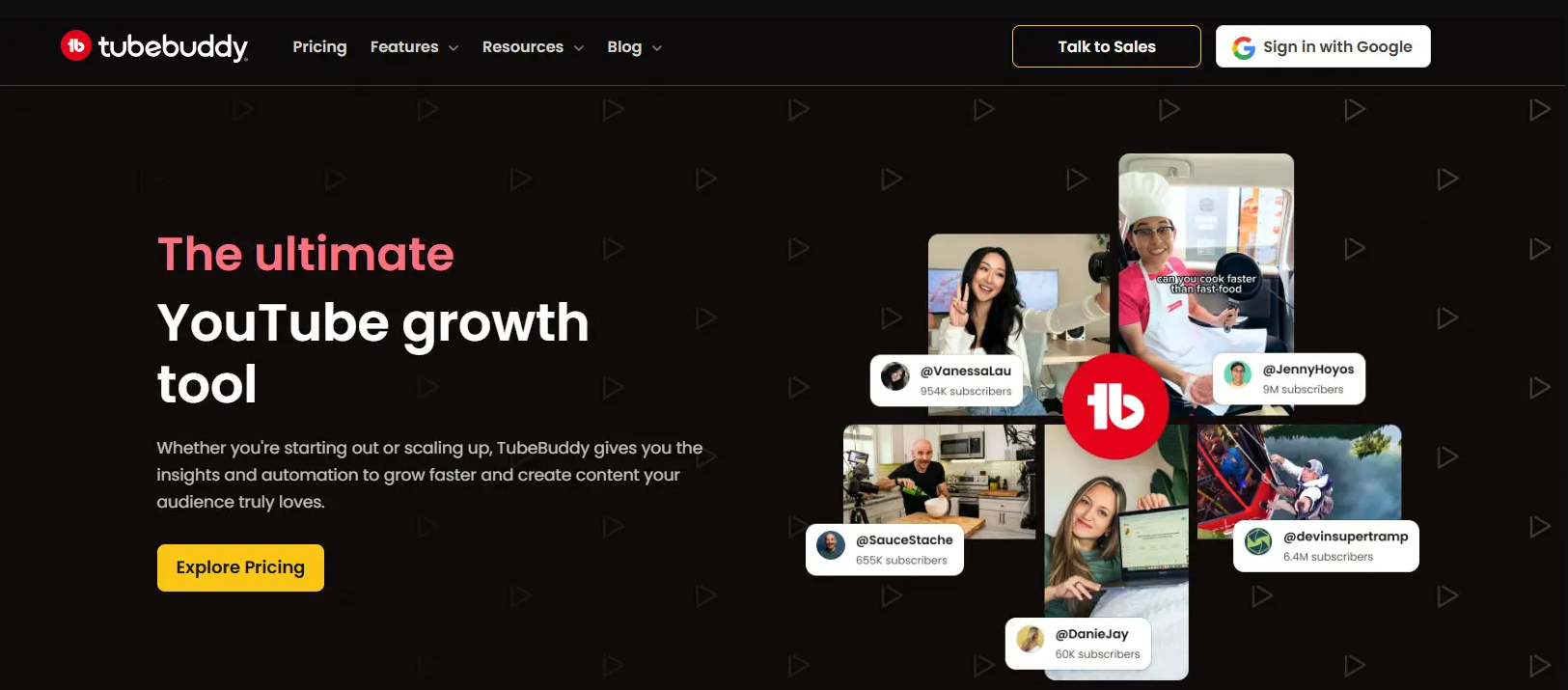
TubeBuddy layers Keyword Explorer, SEO Studio, tag suggestions, A/B testing, and bulk tools onto YouTube. It is built to optimize and manage an existing channel. Visit TubeBuddy →
Spotter Studio
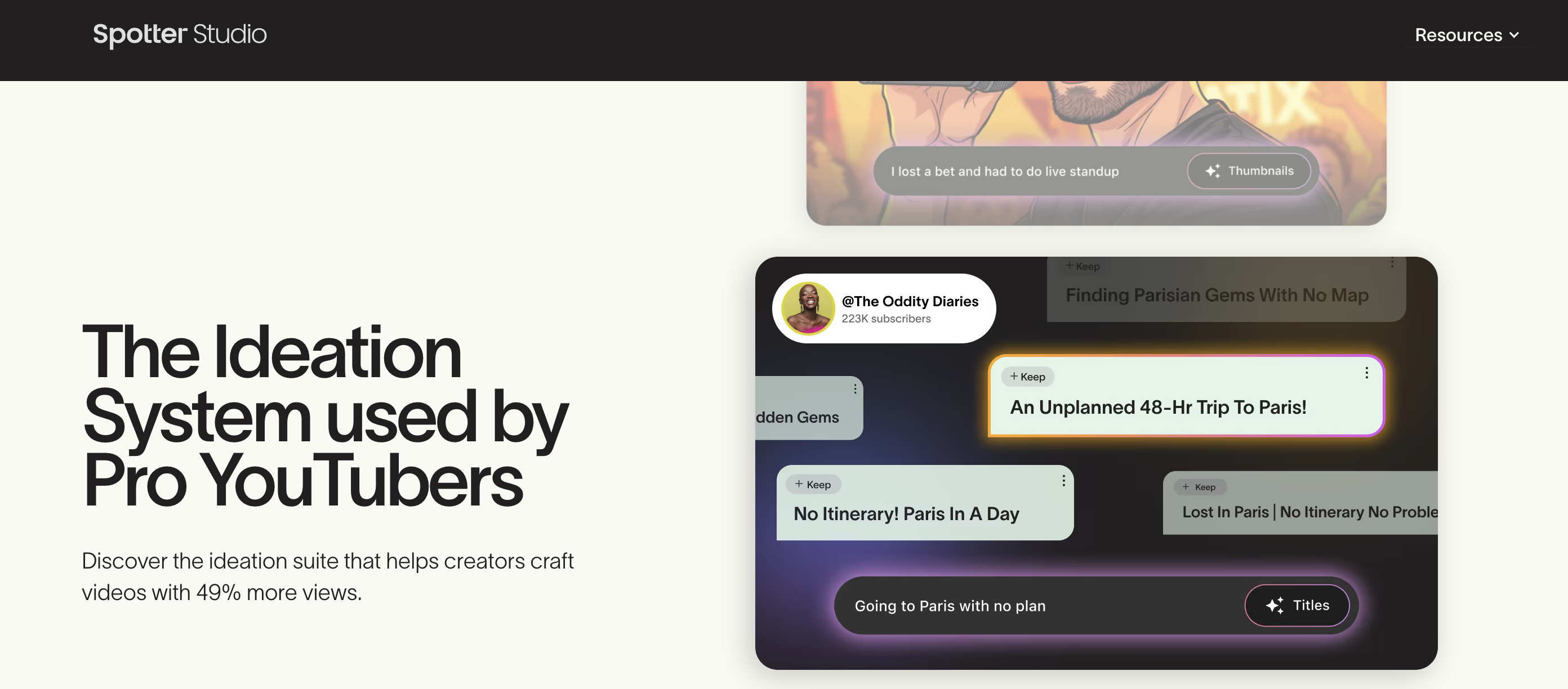
Spotter Studio offered Brainstorm AI ideation, an Outliers library, unlimited AI titles and thumbnails, and a Projects planner. Spotter shut off public access on October 22, 2025. See Spotter Studio alternatives →
Which problem are you trying to solve?
Most people comparing TubeBuddy and Spotter Studio are stuck on one of two problems. Name yours and the choice gets obvious.
"My videos aren't optimized or getting found"
Weak titles, missed keywords, untested thumbnails, a messy back catalog. You need SEO, A/B testing, and management. This is a TubeBuddy problem.
"I'm out of ideas and can't plan ahead"
You want fresh concepts, outlier formats to adapt, and a way to plan a pipeline. Spotter Studio used to solve this. It closed, so use 1of10 or OutlierKit.
Which jobs does each tool cover?
TubeBuddy focuses on keyword/SEO, A/B testing, and channel management. Spotter Studio focused on AI ideation, outlier inspiration, and planning until it closed in October 2025.
How do TubeBuddy and Spotter Studio compare feature by feature?
Keyword Research & SEO
TubeBuddy winsTubeBuddy is a mature SEO suite. It includes Keyword Explorer, SEO Studio, and tag suggestions. It also scores on-video optimization right on YouTube.
Spotter Studio was a workspace for ideas and planning, not an SEO suite. It never did keyword research or on-video SEO scoring.
Verdict: TubeBuddy wins clearly for keyword research and SEO.
A/B Testing
TubeBuddy winsThis is TubeBuddy's signature feature. You can split-test thumbnails and titles to see which one performs. It requires roughly 1,000+ subscribers.
Spotter Studio generated thumbnail and title concepts. It never ran live A/B tests on published videos.
Verdict: TubeBuddy wins for live A/B testing.
AI Idea Generation
Spotter Studio led (now closed)TubeBuddy surfaces keyword-driven topic suggestions. But idea generation isn't its core focus.
Spotter Studio's Brainstorm generated unlimited AI concepts and titles tuned to your voice. This was its core product.
Verdict: Spotter Studio led here until it closed in October 2025. 1of10 now covers this job, with a free plan and Basic at $19/mo.
Outlier Inspiration
Spotter Studio led (now closed)TubeBuddy focuses on optimizing your own channel. It does not hunt for outliers across other channels.
Spotter Studio's Outliers tab searched a large video library and surfaced breakout formats worth adapting.
Verdict: Spotter Studio led here until it closed. OutlierKit now covers this job by scoring videos against each channel's own baseline.
Bulk & Channel Management
TubeBuddy winsTubeBuddy offers bulk processing (on Legend), a browser extension, and management tools. They let you maintain a large catalog fast.
Spotter Studio was a planning workspace, not a bulk catalog-management tool.
Verdict: TubeBuddy wins for channel management and bulk operations.
Planning & Workflow
Spotter Studio led (now closed)TubeBuddy offers a publishing checklist and some workflow helpers. It has no dedicated project planner.
Spotter Studio's Projects planner organized ideas, titles, and thumbnails into a production pipeline for a team.
Verdict: Spotter Studio led here until it closed in October 2025.
Access & Pricing
TubeBuddy winsTubeBuddy has a free plan, and Pro costs $12/mo billed annually ($144/yr). Legend costs $27/mo billed annually.
Spotter shut off public access to Studio on October 22, 2025. You cannot sign up or pay for it.
Verdict: TubeBuddy wins. It is the only one of the two you can buy.
How much does TubeBuddy cost compared with Spotter Studio?
TubeBuddy Pricing
- ✓Basic keyword research
- ✓Tag suggestions
- ✓Limited bulk tools
- ✓Browser extension overlay
- ✓Keyword Explorer
- ✓SEO Studio basics
- ✓$144/yr paid up front
- ✓1 channel
- ✓A/B testing (thumbnails & titles)
- ✓Bulk processing
- ✓Retention analysis
- ✓$324/yr paid up front
Free plan available. Prices from TubeBuddy's own TubeBuddy vs vidIQ article, checked 28 Sep 2026.
Spotter Studio Pricing (historical)
- ✓About $24.92/mo when it was sold
- ✓Unlimited AI concepts, titles and thumbnails
- ✓Outliers + Brainstorm
- ✓Projects planner, 2 seats, 1 channel
- ✓Everything in the annual plan
- ✓60-day free trial
- ✓No permanent free tier
- ✓Closed to creators on October 22, 2025
No longer sold. Spotter Studio closed to creators on October 22, 2025, and its pricing page returned a 404 on September 28, 2026.
What the money buys now
A year of Spotter Studio cost $299 on the annual plan or $588 month-to-month. On TubeBuddy, Pro costs $144/yr and Legend $324/yr, both billed annually. TubeBuddy does not publish US monthly-billing prices in a citable form. For the ideation side, 1of10 has a free plan and Basic at $19/mo, and OutlierKit starts at $49/mo.
What Users Say
TubeBuddy
“Keyword Explorer and the bulk tools save serious time, and the extension sits right inside YouTube Studio. Reviewers repeatedly call the SEO tools game-changers for search rankings.”
“The free tier is heavily paywalled, the interface can overwhelm beginners, and reviewers report recurring extension bugs and loading problems.”
Spotter Studio
“Spotter Studio closed to creators in October 2025 and never built a meaningful third-party review base. There is no current user-review signal to weigh.”
Which Tool Should You Choose?
Optimizing titles, tags, and SEO on your videos
TubeBuddyTubeBuddy's Keyword Explorer and SEO Studio are the category standard. Spotter Studio never did SEO, and it is now closed.
Split-testing thumbnails to lift click-through
TubeBuddyA/B testing is TubeBuddy's signature feature (needs ~1,000+ subs). Spotter Studio never ran live tests.
Generating fresh video ideas with AI
1of10Spotter Studio did this best, but it closed in October 2025. 1of10 pairs an outlier database with AI idea, title and thumbnail generators on every plan. It has a free plan, and Basic costs $19/mo.
Finding breakout outlier formats to adapt
OutlierKitOutlierKit scores videos against each channel's own baseline, so you see which topics broke out in your niche. It starts at $49/mo with a 30-credit trial.
Managing and bulk-editing a large back catalog
TubeBuddyBulk processing on Legend and the browser extension make catalog maintenance fast.
Planning a content pipeline with a team
1of10Spotter's Projects planner closed with Studio. 1of10 keeps idea, title and thumbnail work in one place, and TubeBuddy handles the upload side.
Want optimization and outlier research in one tool?
TubeBuddy optimizes. Spotter Studio used to ideate, and it is now closed. Want the research side in one place? OutlierKit, built for experts, consultants and coaches on YouTube, combines outlier detection, competitor analysis, keyword research, and audience psychographics in one platform:
Dig deeper
Frequently Asked Questions
Basics
Is Spotter Studio still available?
No. Spotter shut off public access to Studio on October 22, 2025, and now uses it only inside its own business (Tubefilter, October 22, 2025). On September 28, 2026, spotterstudio.com redirected to spotter.com and the old pricing page returned a 404.
What was the difference between TubeBuddy and Spotter Studio?
TubeBuddy is a veteran channel management and SEO suite. It offers Keyword Explorer, SEO Studio, tag suggestions, A/B testing, and bulk tools. Spotter Studio was an AI ideation and planning workspace for established creators, with Brainstorm, AI titles and thumbnails, an Outliers library and a Projects planner. TubeBuddy optimizes and manages. Spotter Studio ideated and planned until it closed in October 2025.
Which tool should I pick, TubeBuddy or Spotter Studio?
TubeBuddy, because it is the only one of the two you can buy. Use it for keyword research, SEO, A/B testing, and bulk management. For the ideation job Spotter Studio used to do, use 1of10 or OutlierKit.
Pricing
How much do TubeBuddy and Spotter Studio cost?
As of July 11, 2026, TubeBuddy has a free plan. Pro costs $12/mo billed annually ($144/yr), and Legend costs $27/mo billed annually ($324/yr), per TubeBuddy's own figures. Enterprise is custom. Spotter Studio is no longer sold. It cost $49/mo or $299/yr before it closed in October 2025.
Does TubeBuddy have a free plan?
Yes. TubeBuddy has a permanent free plan with basic keyword research, tag suggestions, and the browser extension. Spotter Studio never had a permanent free tier, and you can no longer sign up for it.
Alternatives
What should former Spotter Studio users switch to?
Pick by the job. For AI brainstorms, titles and thumbnails, 1of10 is the closest replacement, with a free plan and Basic at $19/mo. For outlier research scored against each channel's baseline, OutlierKit starts at $49/mo with a 30-credit trial. For keyword research, SEO and A/B tests, TubeBuddy has a free plan and Pro at $12/mo billed annually.
Are there better alternatives to TubeBuddy?
It depends on the job. OutlierKit adds outlier detection, competitor analysis, keyword research, and audience psychographics in one platform. See our OutlierKit vs TubeBuddy comparison and the full TubeBuddy alternatives list.
Sources and method
Features and prices come from each vendor's own site and from public review platforms, checked as of July 11, 2026. The verdicts weigh documented features, pricing terms and public reviews, not a paid test.
Plans change often, so confirm the current price on each vendor's pricing page before you buy. OutlierKit publishes this page and sells a research tool in the same space, so weigh the verdict with that in mind.
Sources
- TubeBuddy vs vidIQ (TubeBuddy blog): Pro and Legend annual prices, checked 28 Sep 2026
- Spotter Studio shutdown report (Tubefilter): public access ended October 22, 2025
- TubeBuddy on the Chrome Web Store
- OutlierKit's TubeBuddy review: features, limits and ratings
- TubeBuddy pricing breakdown: tier-by-tier prices and limits
- OutlierKit's Spotter Studio review: features, limits and ratings
- Spotter Studio pricing breakdown: historical prices before the closure
Want more than a point tool?
OutlierKit covers outlier detection, competitor analysis and keyword research. It also writes your titles, descriptions and chapters and reviews your script before you record.
Start Free Trial