Transparency & accuracy notice
This comparison is published on OutlierKit's resource site. Feature descriptions are based on publicly available information from each product's website as of September 13, 2026. Features, pricing, and capabilities may change. We encourage readers to verify current information directly with each product.
Last verified: September 13, 2026. If you notice any inaccuracies, please visit the official product websites to verify.

TL;DR
These Tools Solve Completely Different Problems
Choose Tubegen AI if you run a faceless YouTube channel and need to produce content at scale. It automates script writing, voiceovers, and visuals, reducing production time from hours to minutes.
Choose TubeBuddy if you need to optimize and test your content. Its A/B testing, bulk processing, and workflow tools help you maximize performance of existing content and manage your channel efficiently.
Bottom Line:
Tubegen AI is a production tool; TubeBuddy is an optimization tool. They're complementary, not competing. Faceless channel operators often use both, Tubegen to create content quickly, TubeBuddy to optimize it afterward. If you can only pick one, TubeBuddy provides more foundational value with its free plan, A/B testing, and workflow tools.
Which tool fits which job?
| Tool | Best For | Key Strength |
|---|---|---|
| TubeGen AI | AI-powered video content creation | Automates video creation with AI for faceless channels |
| TubeBuddy | YouTube SEO & A/B testing optimization | Only tool with thumbnail/title A/B testing, boosts CTR |
| OutlierKit | Content strategy & competitor research | Find what content succeeds before creating it |
What is Tubegen AI?
Tubegen AI Dashboard
Tubegen AI is an AI-powered content generation platform designed specifically for YouTube creators. Unlike traditional YouTube tools that help you optimize content, Tubegen actually creates the content, generating scripts, AI voiceovers, thumbnails, and video assets from simple prompts.
The platform targets "faceless" YouTube channels, content that doesn't require the creator to appear on camera. Think compilation channels, educational content, news roundups, and listicle videos. Tubegen claims to reduce video production time from 2+ hours to around 20 minutes per video.
Best For
- • Faceless YouTube channels
- • High-volume content producers
- • Creators who struggle with scripting
- • Channels in compilation/listicle niches
Not Ideal For
- • Personality-driven channels
- • Creators wanting A/B testing
- • Those needing analytics and insights
- • Budget-conscious beginners (no free plan)
Key Features
- AI Script Generation: Generate complete video scripts from topic prompts. The AI creates hooks, main content, and calls-to-action. Scripts typically need some editing but provide a strong foundation.
- AI Voiceovers: AI voiceovers that sound natural, with voice options across different styles and 8 languages. This is one of Tubegen's strongest features.
- Thumbnail Generation: AI-created thumbnails based on your video topic. Quality varies, but useful for quick content production. Custom uploads also supported.
- Bulk Content Mode: Generate multiple videos in sequence for batch production. Essential for channels publishing daily or multiple times per day.
Pros
- • Massive time savings for content production
- • Natural-sounding AI voices in 8 languages
- • Simple wizard-style interface
- • Good for faceless channel workflows
- • Bulk generation capabilities
Cons
- • No free trial and no refunds
- • Scripts require editing for quality
- • No A/B testing or optimization tools
- • No analytics or performance tracking
- • Expensive, starts at $149/month
- • Small review footprint (~30 Trustpilot reviews)
What is TubeBuddy?
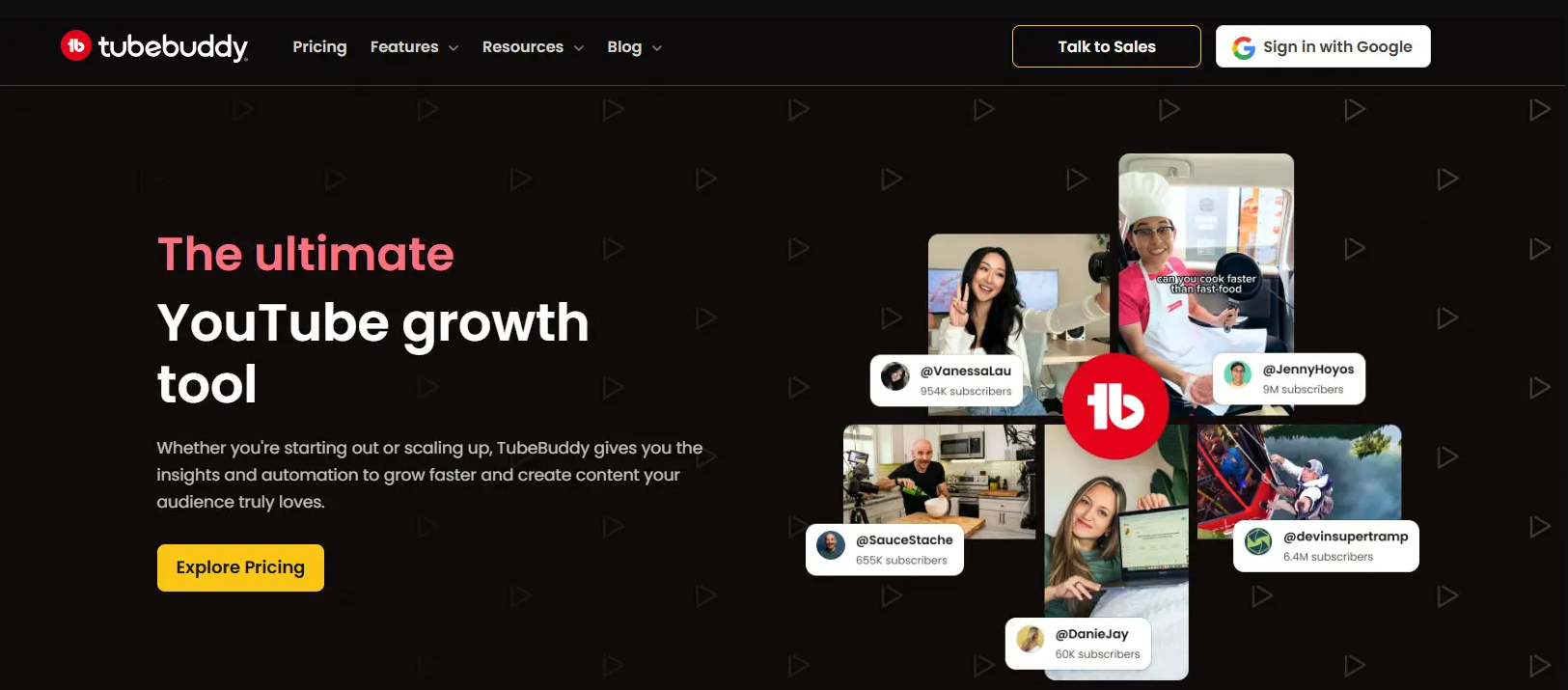
TubeBuddy Dashboard
TubeBuddy is a browser extension and channel management platform that says it's trusted by over 15 million YouTube creators. While Tubegen focuses on content creation, TubeBuddy positions itself as a "workflow optimization" tool, helping you test, optimize, and manage your content at scale.
Founded in 2014, TubeBuddy integrates directly into YouTube Studio, adding tools and insights right where creators already work. Its claim to fame is the A/B testing feature that lets you scientifically test thumbnails, titles, descriptions, and tags, something no other major tool offers. The company also offers generous discounts for smaller creators.
Best For
- • Creators who want to A/B test content
- • Channels with 50+ videos needing bulk management
- • Budget-conscious creators seeking value
- • Those who prefer working within YouTube Studio
Not Ideal For
- • Creators needing content production help
- • Those who want automated video creation
- • Deep keyword research (VidIQ is better)
Key Features
- A/B Testing: The gold standard for thumbnail and title testing. Run statistically significant tests that automatically rotate variants and declare winners based on CTR data. Can increase click-through rates by 20-40%.
- Bulk Processing: Update cards, end screens, descriptions, tags, and more across hundreds of videos simultaneously. Essential for rebranding, fixing mistakes, or adding new calls-to-action to old content.
- Best Time to Publish: Analyzes your audience's activity patterns to recommend optimal upload times. Takes the guesswork out of scheduling and helps maximize initial views.
- Keyword Explorer: Research keywords with search volume and competition data. Find tag suggestions and optimize your videos for search. Solid SEO tools for discoverability.
- Scheduled Publishing: Queue videos for future publishing at your optimal times. Plan content weeks in advance and maintain a consistent upload schedule.
Pros
- • Only tool with real A/B testing
- • Powerful bulk processing saves hours
- • Best value pricing in the market
- • Integrates into YouTube Studio
- • Beginner-friendly interface
Cons
- • No content creation features
- • Keyword research weaker than VidIQ
- • Constant upselling gets annoying
- • AI features feel bolted-on
- • Some users report login issues
How do TubeGen AI and TubeBuddy compare feature by feature?
We analyzed both tools across the categories that matter most. These tools serve different purposes: Tubegen creates content, TubeBuddy optimizes it.
Content Creation
Tubegen AI excels at automated content creation. Generate complete video scripts, AI voiceovers in 8 languages, and even images, all from a single prompt. Ideal for faceless YouTube channels that need to produce content at scale.
TubeBuddy is not designed for content creation. It has AI title and thumbnail generators, but these are optimization tools, not production tools. You'll need separate software for scripts, voiceovers, and video creation.
Verdict: Tubegen AI wins decisively for content creation. If you need an all-in-one tool that actually produces video content, Tubegen is purpose-built for this. TubeBuddy focuses on optimization, not creation.
A/B Testing
Tubegen AI has no A/B testing features. The platform is purely for content generation, once you produce the video, you're on your own for optimization. No way to test different thumbnails or titles scientifically.
TubeBuddy's A/B testing is unmatched in the industry. Test thumbnails, titles, descriptions, and tags with statistical significance tracking. The tool automatically rotates variants and declares winners based on CTR data.
Verdict: TubeBuddy wins decisively. A/B testing can increase CTR by 20-40%, and TubeBuddy is the only major tool offering this feature. If optimization matters, this alone justifies the subscription.
Bulk Processing
Tubegen AI offers bulk content generation, you can queue multiple videos for production. However, it doesn't help with managing existing videos. No bulk updates to descriptions, cards, end screens, or tags.
TubeBuddy dominates bulk processing. Update cards, end screens, descriptions, and tags across hundreds of videos simultaneously. The Bulk Copy feature alone saves hours for channels with large libraries. Essential for content repurposing.
Verdict: TubeBuddy wins by a wide margin. If you have 50+ videos and need to make sweeping changes, TubeBuddy's bulk tools are indispensable. Tubegen only helps with bulk creation, not management.
AI Features
AI is Tubegen's entire product. Script generation, voice synthesis in 8 languages, image creation, and content automation are all AI-powered. The platform reduces video production from 2+ hours to around 20 minutes per video.
TubeBuddy has added AI features including a title generator and thumbnail AI, but they feel bolted-on rather than integrated. The suggestions are generic compared to dedicated AI content tools. AI assists optimization, it doesn't create.
Verdict: Tubegen AI wins for AI depth, but they serve different purposes. Tubegen uses AI to create content; TubeBuddy uses AI to optimize it. Choose based on your primary need.
Ease of Use
Tubegen AI uses a wizard-style interface that guides you through content creation step by step. Input your topic, customize settings, and the AI handles the rest. Beginners can produce content quickly without a learning curve.
TubeBuddy integrates directly into YouTube Studio, which feels more natural. Tools appear where you need them, and the learning curve is gentler. The interface is intuitive for creators who prefer working within YouTube.
Verdict: Both tools are beginner-friendly in their own ways. TubeBuddy wins slightly for its direct YouTube Studio integration, but Tubegen's wizard workflow is equally accessible.
Keyword Research
Tubegen AI offers basic keyword suggestions as part of its content workflow, but lacks dedicated keyword research tools. No search volume data, competition scores, or tag analysis. SEO is an afterthought.
TubeBuddy offers solid keyword research with its Keyword Explorer tool. You get search volume estimates and competition scores. Tag suggestions are helpful, though not as deep as VidIQ's keyword tools.
Verdict: TubeBuddy wins for keyword research. If SEO matters to your strategy, TubeBuddy provides the tools you need. Tubegen assumes you already know what topics to cover.
Value for Money
Tubegen AI starts at $149/month (Starter), with Pro at $297/month and Premium at $849/month. There's no free plan, no free trial, and no refunds. The pricing is steep, though it includes AI generation costs.
TubeBuddy offers strong value at every tier. Pro costs $12/month billed annually, and Legend, which includes A/B testing and bulk processing, costs $27/month billed annually, per TubeBuddy's own figures. There is also a free plan.
Verdict: TubeBuddy wins on value. You can start with a free plan and upgrade as needed. Tubegen requires $149/month minimum with no free trial and no refunds, there's no way to test before paying.
Analytics & Insights
Tubegen AI provides no analytics or channel insights. The platform is purely for content creation, you won't find performance tracking, audience analytics, or optimization recommendations.
TubeBuddy provides useful analytics through its Videolytics feature. See stats on individual videos, best time to publish based on your audience, and health reports for your channel. Not as deep as VidIQ, but solid.
Verdict: TubeBuddy wins completely. If you want to understand your channel's performance and make data-driven decisions, TubeBuddy provides the insights. Tubegen doesn't compete here.
Overall Score
Tubegen wins
TubeBuddy wins
TubeBuddy wins more categories because it offers broader functionality. Tubegen excels specifically at AI content creation.
How much does TubeGen AI cost compared with TubeBuddy?
The pricing models reflect different value propositions. Tubegen charges more because it includes AI generation costs; TubeBuddy provides optimization tools at lower price points.
Tubegen AI Pricing
No free plan, no free trial, no refunds
Save 20% on a 6-month commitment
- Full script → voice → visuals pipeline
- AI voiceovers (8 languages)
- Thumbnail studio
- Ready-to-upload video export
Save 20% on a 6-month commitment
- Everything in Starter
- Higher monthly generation limits
Save 20% on a 6-month commitment
- Everything in Pro
- Highest generation limits
- Enterprise tier also available (custom)
TubeBuddy Pricing
Billed annually, per TubeBuddy's own figures
- Basic SEO tools
- Limited keyword explorer
- Card templates
- Basic analytics
billed annually ($144/yr)
- Full keyword explorer
- Tag suggestions
- Best time to publish
- Video topic planner
billed annually ($324/yr)
- All Pro features
- A/B testing
- Bulk processing
- Scheduled publishing
- Retention analysis
Pricing Analysis
For budget-conscious creators: TubeBuddy wins easily. Start with the free plan, then upgrade to Pro at $12/month billed annually when you hit limits.
For faceless channel operators: Tubegen's Starter plan at $149/month makes sense only if you're producing multiple videos weekly and the time savings outweigh the cost. Pair it with TubeBuddy Legend ($27/month billed annually) for optimization, roughly $176/month total for creation + optimization. An AI Niche Finder add-on is also available for about $33/month extra.
For A/B testing needs: TubeBuddy Legend at $27/month billed annually is the only option. Tubegen doesn't offer A/B testing at any price. If optimization is your priority, TubeBuddy is the clear choice.
Best overall value: TubeBuddy Legend. At $27/month billed annually you get A/B testing, bulk processing, and all essential optimization tools. Tubegen's Starter plan costs roughly 5.5x as much and doesn't include optimization.
Pricing accurate as of September 13, 2026. TubeBuddy prices come from TubeBuddy's own TubeBuddy vs vidIQ article (checked 28 Sep 2026, billed annually). For Tubegen, visit tubegen.ai.
Savings Calculation
TubeBuddy Pro at $12/mo billed annually is about 92% cheaper than TubeGen AI's $149/mo Starter plan. Even TubeBuddy's top Legend tier at $27/mo billed annually costs $122/mo less than TubeGen AI's entry plan, about $1,464 saved per year ($1,788 vs $324). The two tools do different jobs: TubeGen AI generates finished videos (with AI compute costs baked in), while TubeBuddy optimizes videos you've already made.
Third-Party Ratings
What do users say about TubeGen AI and TubeBuddy?
We gathered TubeGen AI feedback from Trustpilot, and TubeBuddy reviews from Chrome Web Store and Capterra.
Tubegen AI User Reviews
TubeGen AI holds a 4.0/5 rating on Trustpilot from a small pool of roughly 30 reviews, so treat the score as directional rather than settled.
Recurring praise: easy to use, helpful for making videos quickly, and generous creative options for scenes and ideas.
Recurring complaints: high pricing for what you get, scripts that need significant editing, and limited customer support.
TubeBuddy User Reviews
TubeBuddy holds 4.5/5 on Chrome Web Store from 8.5K ratings, plus 4.6/5 on Capterra from 113 reviews.
Recurring praise: Keyword Explorer and the bulk tools save serious time, the extension sits right inside YouTube Studio, and reviewers repeatedly credit the SEO tools with real ranking gains.
Recurring complaints: the free tier is heavily paywalled, the interface can overwhelm beginners, and reviewers report recurring extension bugs and loading problems.
Who should choose which tool?
These tools serve fundamentally different needs.
Choose Tubegen AI if you...
- ✓Run a faceless YouTube channel (no on-camera presence)
- ✓Need to produce multiple videos per week at scale
- ✓Struggle with scriptwriting and want AI assistance
- ✓Already know what topics to cover (have separate research)
- ✓Value time savings over cost savings
Best plan: Starter ($149/mo), the entry point to the full production pipeline
Choose TubeBuddy if you...
- ✓Want to scientifically test thumbnails and titles
- ✓Have a large video library that needs bulk updates
- ✓Prefer tools that integrate directly into YouTube Studio
- ✓Want the best value for your money
- ✓Are a smaller channel looking for affordable optimization
Best plan: Legend ($27/mo billed annually) for A/B testing + bulk tools
How do you choose between TubeGen AI and TubeBuddy?
Still unsure? Answer these questions in order. The first one that matches your situation points you to the right tool.
Do you need to actually produce videos (scripts, voiceovers, visuals)?
Yes → Choose Tubegen AI. It's the only one of the two that creates content, generating scripts and AI voiceovers from a prompt. No → keep reading; TubeBuddy likely fits.
Is scientifically testing thumbnails and titles a priority?
Yes → Choose TubeBuddy Legend ($27/mo billed annually). Its A/B testing is exclusive here, Tubegen offers none at any price.
Do you want to test a tool before paying anything?
Yes → Choose TubeBuddy. Its Free plan lets you start at $0, while Tubegen requires $149/mo upfront with no free trial and no refunds.
Do you run a faceless channel publishing multiple videos per week?
Yes → Choose Tubegen AI (from $149/mo) for bulk production, and pair it with TubeBuddy Legend for optimization if budget allows.
Not sure your video idea will even work?
Start with research → Validate the topic with outlier detection first (see OutlierKit below), then create with Tubegen and optimize with TubeBuddy.
Before You Decide: Consider OutlierKit
Tubegen AI creates content from your ideas and TubeBuddy optimizes content you've already made, but how do you know your ideas will work? TubeBuddy's Content Standouts feature offers basic outlier detection, yet OutlierKit takes it further with psychographic analysis and monetization context to help you decide what content to create based on proven patterns. It is built for experts, consultants and coaches who use YouTube to share what they know.
Outlier Detection
Find videos performing 3-10x above channel averages. These reveal what actually resonates with audiences, patterns that neither content creation nor A/B testing can show you before you invest time.
Idea Validation
Before using Tubegen to produce content or TubeBuddy to optimize it, use OutlierKit to validate that your topic has proven viral potential.
Starting at $49/month
The Hobby plan includes 100 monthly credits that refresh on your billing date. Every plan also writes titles, descriptions with hashtags and chapters, and reviews your script before you record. Pro and Max add an MCP connector for Claude.
Which free tools are worth trying?
Before committing to paid tools, check out these free options from UTubeKit:
AI Title Generator
Generate click-worthy, SEO-optimized video titles using AI. Get 10+ variations instantly.
Try free →
Hashtag Generator
Find trending and relevant hashtags to increase your video's discoverability.
Try free →
Thumbnail Analyzer
Get AI feedback on your thumbnail's effectiveness before publishing.
Try free →
⚖️
Which is better, TubeGen AI or TubeBuddy?
Tubegen AI Wins At:
- ✓ Automated content creation
- ✓ AI voice generation quality
- ✓ Faceless channel workflows
- ✓ Production time savings
TubeBuddy Wins At:
- ✓ A/B testing (exclusive feature)
- ✓ Bulk video management
- ✓ Value for money
- ✓ User-friendly interface
- ✓ Keyword research & SEO
The honest answer: These tools don't compete, they complement each other. Tubegen creates content; TubeBuddy optimizes it. Many successful faceless channels use both.
If you can only pick one: Start with TubeBuddy (it's free). A/B testing and optimization provide value regardless of how you create content. Once you're producing at volume, consider Tubegen for production speed.
Want to validate ideas first? OutlierKit helps you find proven video ideas through outlier detection before you create or optimize.
Frequently Asked Questions
Is Tubegen AI or TubeBuddy better for beginners?
TubeBuddy is better for most beginners. It has a free plan to start, integrates directly into YouTube Studio, and helps you learn optimization fundamentals. Tubegen AI requires $149/month upfront with no trial and no refunds, and focuses on content production rather than teaching you what makes content succeed. Start with TubeBuddy to learn the basics, then consider Tubegen when you need to scale production.
Can I use Tubegen AI and TubeBuddy together?
Yes, and this combination works well for faceless channels. Use TubeBuddy to research keywords and find optimal publishing times, then use Tubegen AI to quickly produce content around those insights. After publishing, use TubeBuddy's A/B testing to optimize thumbnails and titles. They solve different problems and complement each other.
Does Tubegen AI have a free trial?
No, Tubegen AI does not offer a free trial, and it explicitly does not offer refunds either, so you commit to at least one paid month ($149 on the Starter plan) to test it. TubeBuddy, by contrast, offers a generous free plan you can use indefinitely, making it much easier to test before committing.
Which tool is better for faceless YouTube channels?
For faceless channels, you likely need both tools for different purposes. Tubegen AI is specifically designed for faceless content, it generates scripts, AI voiceovers, and visuals. But TubeBuddy helps optimize that content after creation with A/B testing, keyword research, and bulk management. Tubegen creates; TubeBuddy optimizes.
Is TubeBuddy worth paying for in 2026?
Yes, TubeBuddy remains one of the best values in YouTube tools. The Legend plan at $27/month billed annually includes A/B testing, a feature that can increase CTR by 20-40%. Its bulk processing tools save hours for channels with large libraries. Pro, at $12/month billed annually, covers keyword SEO for less. If optimization matters to you, TubeBuddy is worth it.
Why is Tubegen AI more expensive than TubeBuddy?
Tubegen AI's pricing reflects the cost of AI content generation, script writing, voice synthesis, and image generation are computationally expensive. TubeBuddy primarily provides data, analytics, and workflow tools, which cost less to deliver. You're paying for actual content production with Tubegen versus optimization tools with TubeBuddy.
What are the main limitations of Tubegen AI?
Tubegen AI's main limitations include: no free trial, free plan, or refunds, no A/B testing or optimization features, no keyword research tools, no analytics or performance tracking, and script quality that often requires editing. It's a specialized content creation tool, not a comprehensive YouTube growth platform. You'll need additional tools for strategy and optimization.
Which tool helps more with YouTube SEO?
TubeBuddy is significantly better for YouTube SEO. It provides keyword research with search volume data, tag suggestions, SEO scores for your videos, and best time to publish recommendations. Tubegen AI has minimal SEO features, it generates content but doesn't help you optimize it for search. For SEO, TubeBuddy is the clear choice.
Sources and method
Features and prices come from each vendor's own site and from public review platforms, checked as of September 13, 2026. The verdicts weigh documented features, pricing terms and public reviews, not a paid test.
Plans change often, so confirm the current price on each vendor's pricing page before you buy. OutlierKit publishes this page and sells a research tool in the same space, so weigh the verdict with that in mind.
Sources
- TubeGen pricing page: plans and prices
- TubeBuddy vs vidIQ (TubeBuddy blog): Pro and Legend annual prices, checked 28 Sep 2026
- TubeBuddy on the Chrome Web Store
- TubeBuddy reviews on Capterra
- TubeBuddy reviews on G2
- OutlierKit reviews on Product Hunt
- OutlierKit on the Chrome Web Store
- TubeGen AI reviews on Trustpilot
- TubeGen AI pricing breakdown: tier-by-tier prices and limits
- OutlierKit's TubeBuddy review: features, limits and ratings
- TubeBuddy pricing breakdown: tier-by-tier prices and limits
Ready to grow your YouTube channel?
OutlierKit is built for experts, consultants and coaches who share what they know on YouTube. It finds the videos beating their channel average in your niche, then writes your title, description and chapters and reviews your script before you record. On Pro and Max, Claude can run the same research through the MCP connector.
Try OutlierKit Free